Gallery
See what others have created
fast_growingcabana
@fast_growingcabana
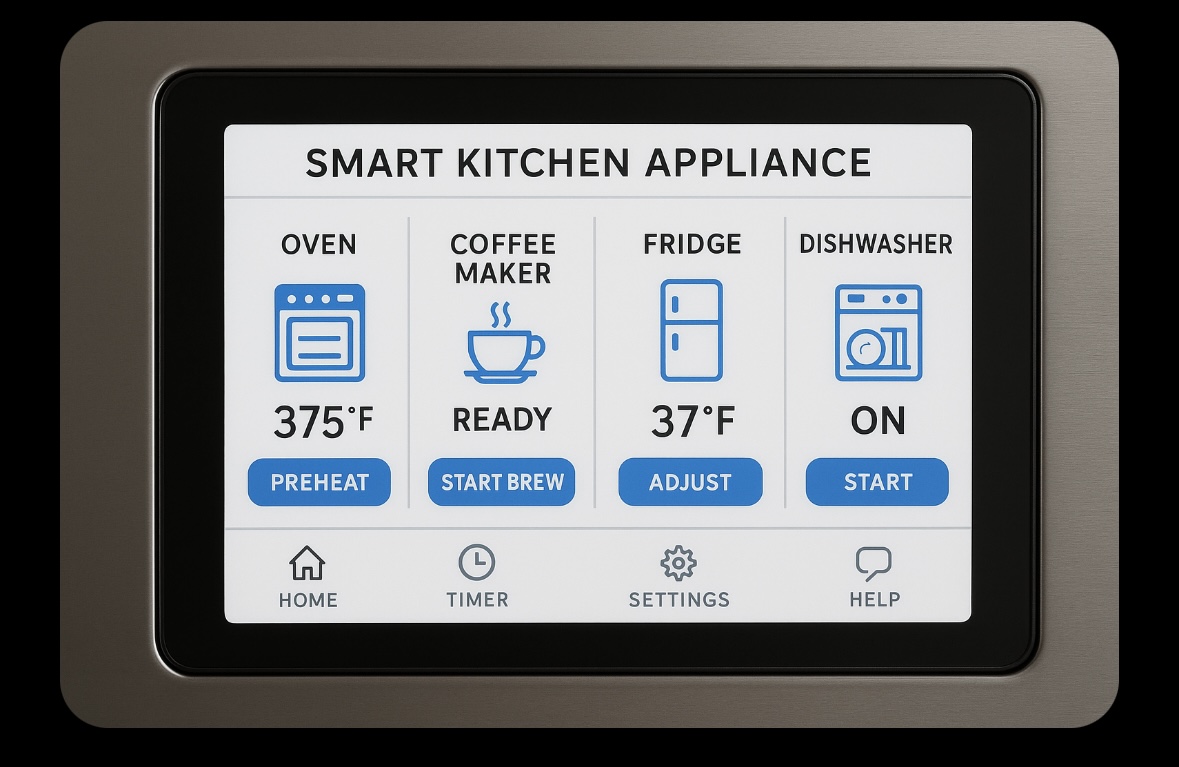
Smart Kitchen Appliance Interface
Design a hi-fi touchscreen interface for a smart kitchen appliance, such as an oven or refrigerator, centered on one core job: checking status and starting a common task quickly. Treat the screen as the appliance’s main control surface, not a marketing page. Show the information a person needs before they touch anything: current mode, temperature or contents, remaining time, and the next available action.
Build the flow around a single high-frequency action, like starting a cook cycle, setting a timer, or selecting a preset recipe. Keep the controls simple, large, and grouped by task. If the appliance supports recipes or inventory, show them as secondary paths with clear selection and back navigation. The user should always know what will happen before they commit.
Include the states that matter in a kitchen: idle, active, paused, warning, and complete. Surface feedback for preheat, door open, low inventory, or timer finished without hiding the user’s current settings. Make sure touch targets are usable, labels are legible from a short distance, and the interface still works under fast, one-handed use.
What to deliver
- Design the appliance home screen with today’s status, quick actions, and current mode.
- Show one primary task flow, such as setting a timer, starting a cook cycle, or adjusting temperature.
- Include recipe or preset browsing with clear selection states.
- Design inventory or contents view if the appliance supports it.
- Add pause, cancel, and completion states with clear feedback.
Incorporate voice command capability in your mockup to highlight a hands-free experience, crucial for a busy chef!