Gallery
See what others have created
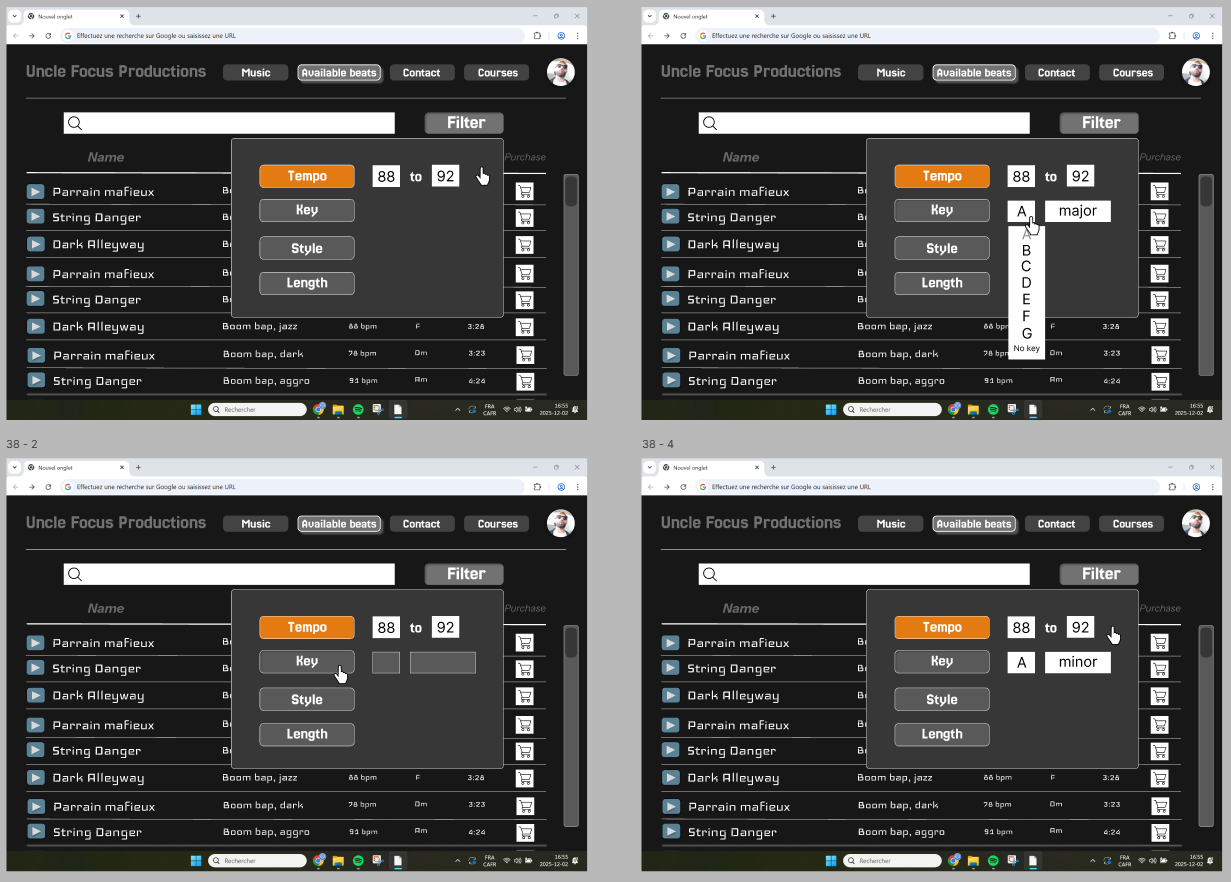
felixdesbiens
@felixdesbiens
Filtering & Sorting
Design the filtering and sorting flow for a results page, not just the controls themselves. Show how a user opens filters, reviews available criteria, applies changes, and returns to the list without losing context. The interface should make it obvious what is being filtered, what is being sorted, and what has already been applied.
Include the main interaction states: default list view, filter panel open, sort menu open, applied state, and empty-results state. If filters are multi-select, the selected values should stay visible while the panel is open and after it closes. If sorting changes the order immediately, make that behavior clear; if it requires confirmation, show that step explicitly.
Treat active filters as part of the page content. Surface them as chips, a summary row, or another persistent pattern that makes removal easy. The user should be able to clear a single filter, reset all filters, and switch sort order without hunting through the panel.
When the current combination returns no results, replace the blank state with a useful recovery path: broaden a filter, clear all, or change sort. Keep the language short and specific to the content on screen. The result should feel like a working control system, not a decorative sidebar.
What to deliver
- Design the filter entry point for a list or grid view.
- Show the filter panel with selectable criteria and clear apply/reset actions.
- Design the sort control with available sort options and the current selection.
- Show the active filter state on the results view.
- Include an empty-results state with a clear way to broaden the search.
For a playful touch, incorporate subtle animations when filters are applied or items are sorted – like a gentle shuffling of content or a neat visual transition!