Gallery
See what others have created
unpublishedhanging
@unpublishedhanging
Payment Method
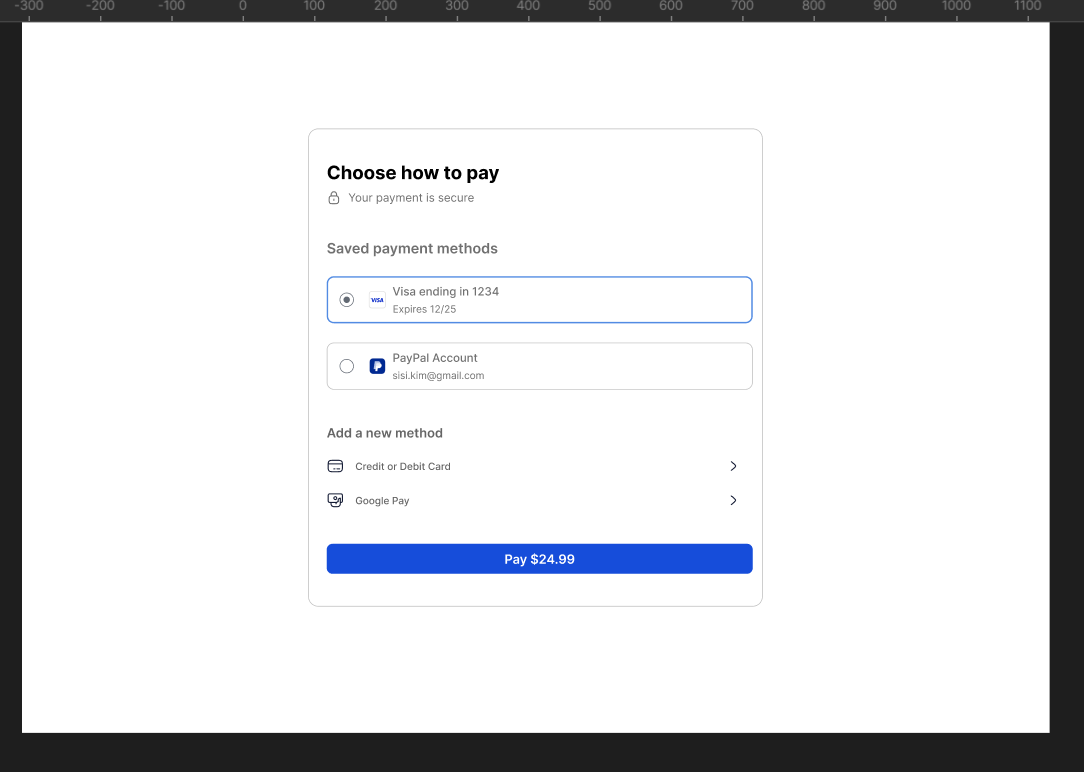
Design a payment method screen for checkout. The user should be able to pick a way to pay without hunting through settings or extra steps. Keep the layout simple: a clear title, a short list of methods, and one primary action to continue.
Show at least three options such as credit card, digital wallet, and bank transfer. Each row should include an icon, method name, and one short support detail like fee, processing time, or availability. The selected method should be visually distinct, and the rest should still read as tappable choices.
Include a disabled or unavailable state for at least one method, with a brief reason why it cannot be used. If a method has extra cost or delay, make that visible before the user commits. The screen should feel trustworthy, fast to scan, and ready for checkout.
What to deliver
- Design a payment method selection screen.
- Show at least 3 payment options with icons and labels.
- Include one selected state and one unavailable/disabled state.
- Add a primary action to continue with the chosen method.
- Surface fees or processing time inline or in a secondary detail row.
Incorporate familiar payment icons and elegant animations for a pleasing user experience when selecting a payment method.