Gallery
See what others have created
unpublishedhanging
@unpublishedhanging
Progress tracker
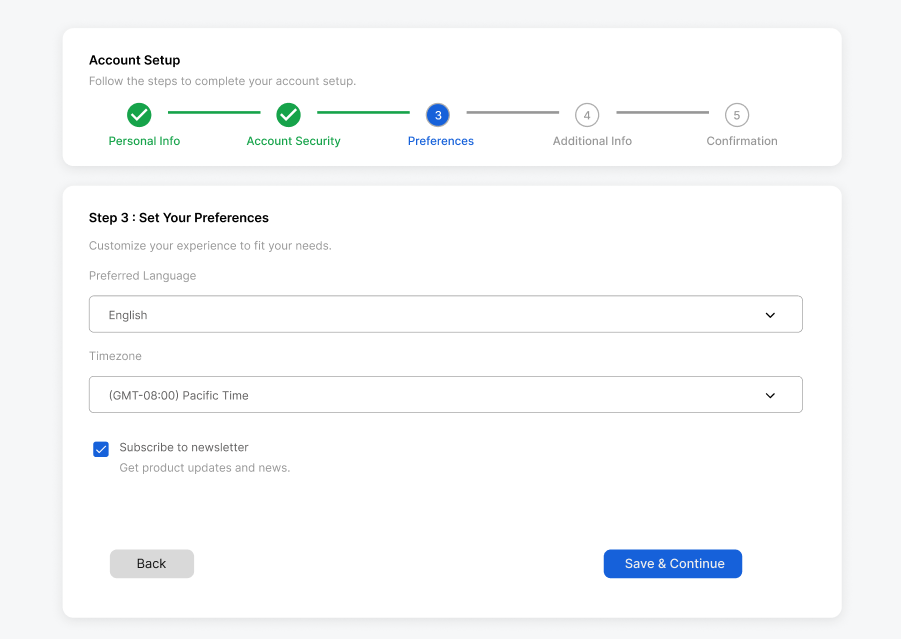
Design a progress tracker for a multistep flow such as onboarding, checkout, or course setup. The component should make the user’s position obvious and show what has already been completed, what is active now, and what comes next.
Build the tracker for 3–7 steps. Include step labels, numbers or icons, and a connecting line or rail. Define three states at minimum: completed, current, and upcoming. If a step can be revisited, make that interaction visible; if it cannot, show it as disabled rather than clickable.
Design the tracker at a size where it can sit above a form or content area without crowding it. Include a compact version for narrow layouts and a fuller version for wider screens. Use spacing, contrast, and iconography so the state reads even before color is noticed.
What to deliver
- Design a horizontal step tracker for 3–7 steps.
- Show completed, current, and upcoming states with clear labels.
- Include step numbers or icons plus connecting lines.
- Add clickable step states for backtracking where allowed.
- Provide compact and expanded variants for tight and roomy layouts.
Inject a sprinkle of delight into your progress tracker by incorporating smooth transitions and animations when a user moves from one step to the next.