Gallery
See what others have created
felixdesbiens
@felixdesbiens
Editing & Updating
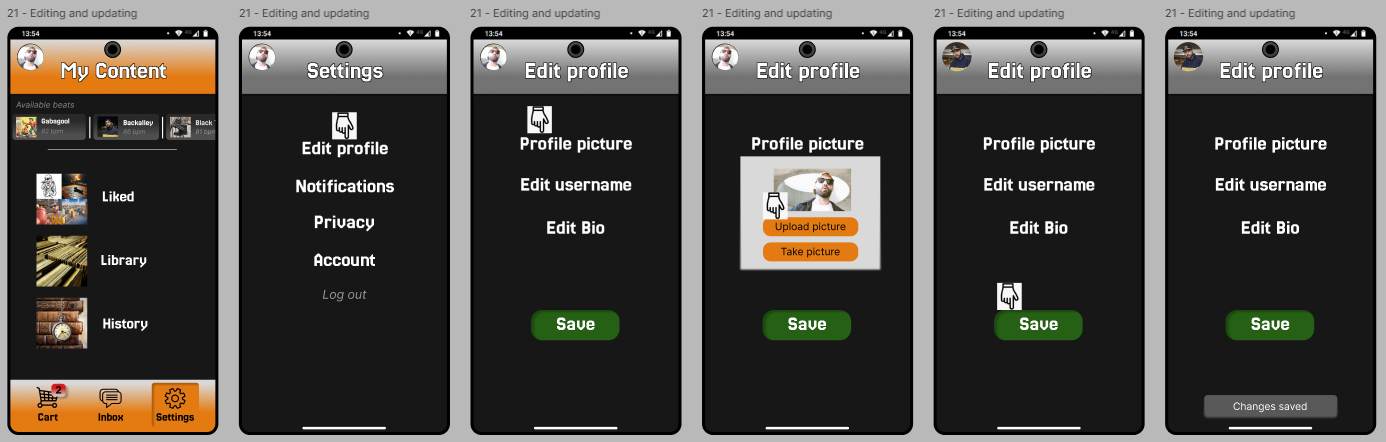
Design a simple edit-and-save flow for an existing item. Show how a user opens an item, enters edit mode, changes one or more fields, and confirms the update. Use a realistic form, not placeholder controls: prefilled text fields, dropdowns where needed, and a clear primary save action. Include the states that make this flow feel safe. Show what happens when the user cancels, leaves with unsaved changes, submits invalid input, and saves successfully. If the app supports it, include inline validation and a lightweight confirmation toast or message after save. Keep the original content visible while editing so the user always knows what they are changing. The updated result should appear immediately in the same place it was edited. If the change affects a list, card, or detail view, show the refreshed state there too. Make the transition between old and new content easy to read, and keep recovery actions like undo or revert close to the confirmation state.
What to deliver
- Design the selected-item state and the edit entry point.
- Design the edit form with prefilled values and clear field labels.
- Design save, cancel, and unsaved-changes states.
- Design success, validation error, and undo/revert feedback.
- Show the updated content in place after save.
Remember, less is more in design. Use progressive disclosure—only show editing options when needed, reducing clutter and focusing the user on the task at hand.