Gallery
See what others have created
felixdesbiens
@felixdesbiens
Marking
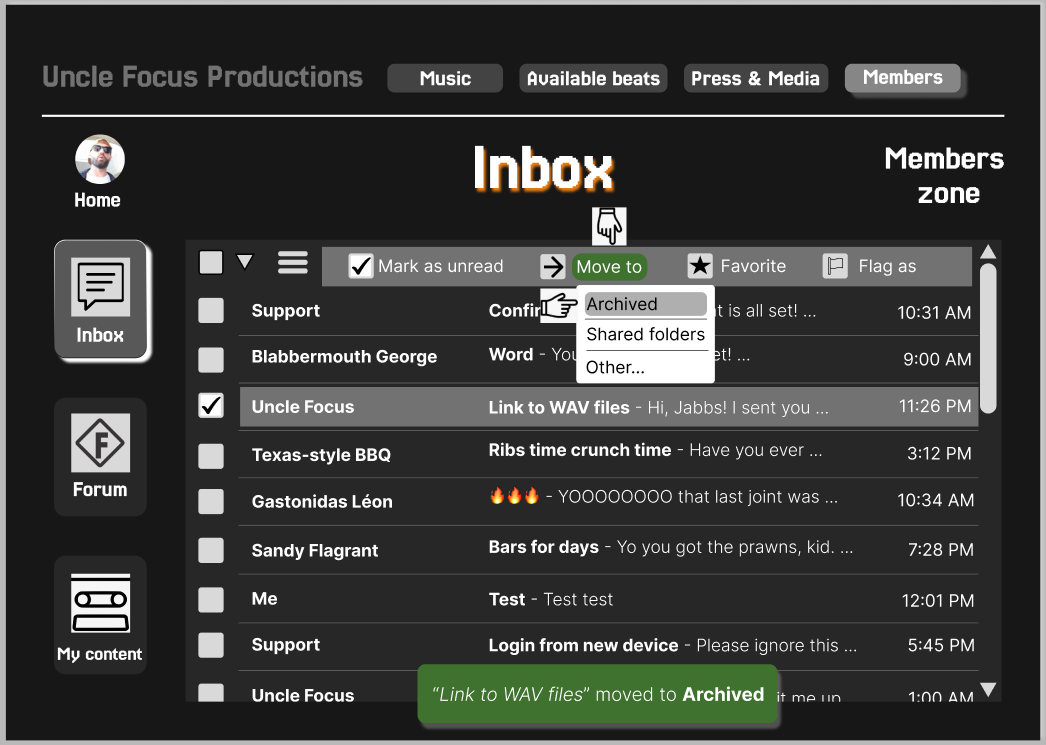
Design the marking flow for a single content item in a product UI. The user should be able to mark something from its default state, see the change immediately, and understand whether the action can be reversed.
Focus on the control itself and the state change around it. Show the unmarked default, the marked state, and the moment of interaction. Use a visual treatment that works without relying on color alone, and keep the label or icon readable at a glance.
If the action is reversible, include the unmark or undo path. The user should not lose context after marking, and the next step should be obvious from the state change. Keep the pattern compact enough to fit beside content without cluttering the layout.
What to deliver
- Design the default content state with a clear mark control.
- Show the marked and unmarked states side by side.
- Include hover, focus, and pressed states for the control.
- Show the confirmation feedback after marking.
- Include the undo or unmark state if the action is reversible.
Incorporate a 'delight' factor in your marking flow design—perhaps an animation or a unique visual effect that occurs when an item is marked, offering a subtle yet rewarding user experience!