Gallery
See what others have created
presumedstorekeeper
@presumedstorekeeper
Smart Bicycle Dashboard
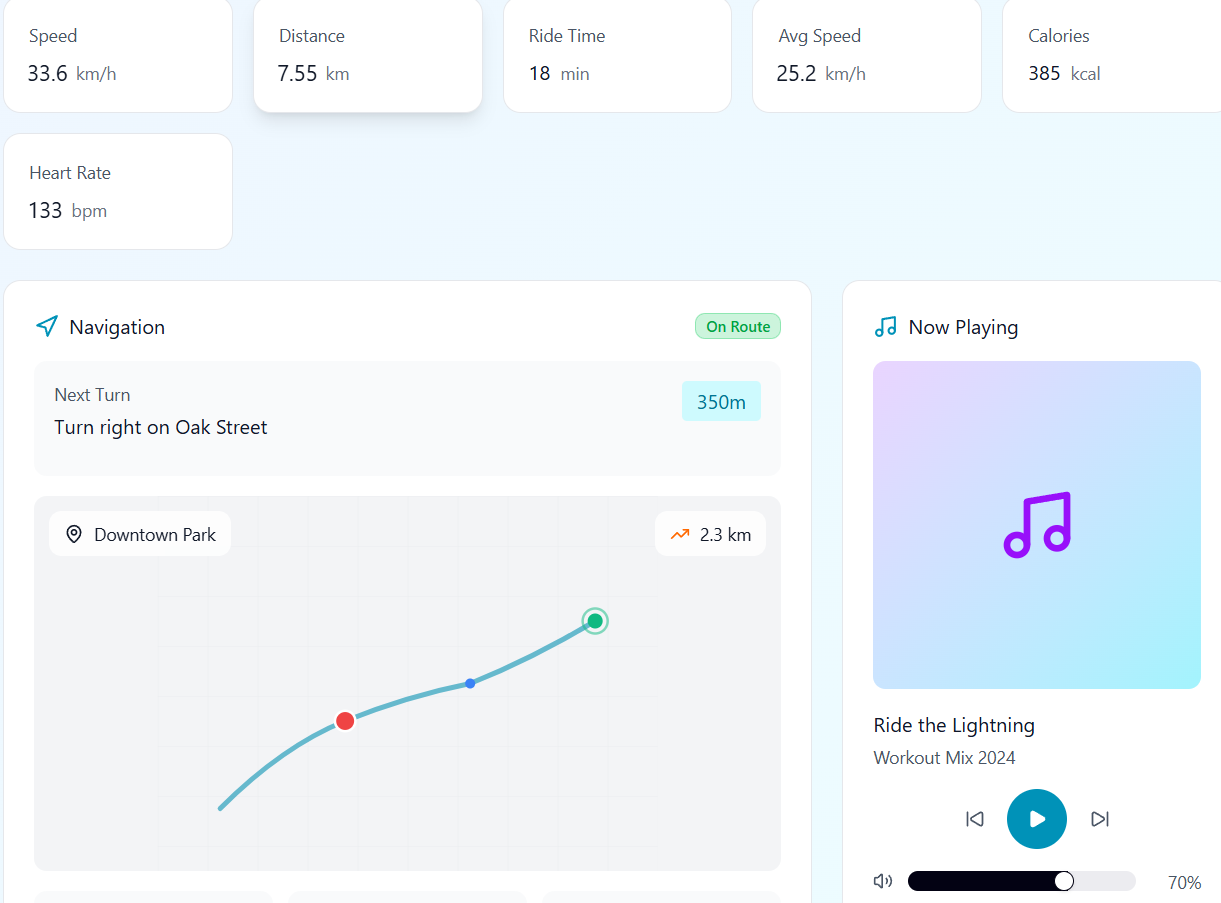
Design the main Smart Bicycle Dashboard as the rider’s live control center. It should show the essentials first: current speed, battery level, trip distance, ride mode, and the next navigation instruction. Treat this as a moving interface, not a phone app copy, so the hierarchy stays clear at a glance.
Include a small set of actions the rider can use without hunting: lights, assist level, music, calls, and ride pause/resume. These controls should be easy to hit while in motion and should not compete with the primary ride data. If a control opens a deeper setting, keep the first tap simple and obvious.
Add states for turn alerts, low battery, incoming calls, and connectivity loss. Each state should preserve the rider’s current context and make the next step obvious. Show how the dashboard behaves in bright sun and at night, with a high-contrast mode for low-light conditions and larger touch targets for safer use.
What to deliver
- Design the ride home screen with speed, distance, battery, and navigation in one view.
- Add quick-access controls for lights, assist mode, music, and call handling.
- Show a route preview with turn-by-turn guidance and next-turn timing.
- Include workout or ride stats that can be scanned without slowing down.
- Design a low-light mode and an alert state for hazards, battery low, and incoming calls.
Incorporate a personalization feature, enabling users to choose which metrics to display prominently.