Gallery
See what others have created
felixdesbiens
@felixdesbiens
Class & Lesson Detail
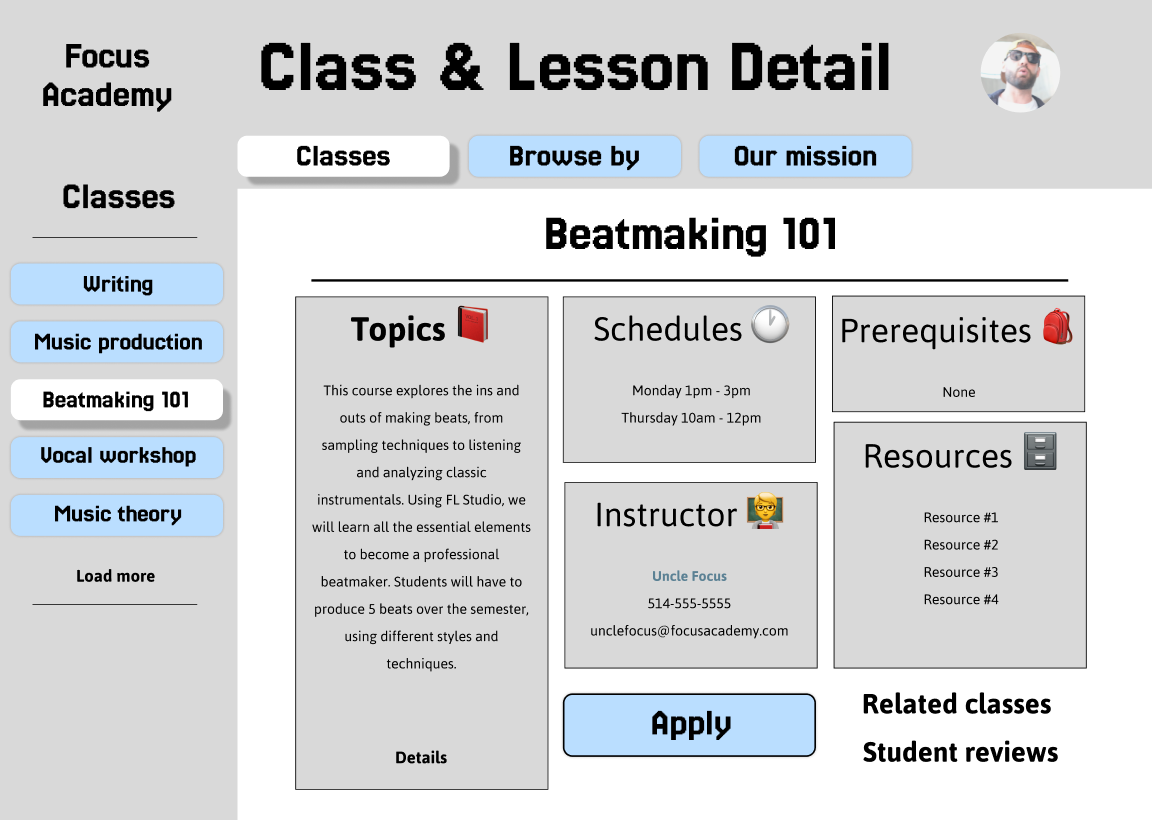
Design a class and lesson detail page for a learning platform where students can decide whether to join, continue, or review a session. Treat this as a decision screen, not a brochure. The page should surface the most important facts first: class title, lesson name, level, duration, schedule, instructor, and current enrollment or progress state.
Below the header, lay out the lesson agenda or curriculum in a way that is easy to scan. Break content into sections with clear labels, time estimates, and prerequisite markers. If the lesson has downloadable files, links, or assignments, keep them close to the relevant section instead of hiding them in a generic resources area.
Include instructor details, class requirements, and a short feedback or review area. The primary action should adapt to context: enroll, join live, continue lesson, or view recording. Secondary actions can cover save, share, message instructor, and browse related classes. Keep navigation paths obvious so a student can move to the next lesson or a similar class without losing the current context.
What to deliver
- Design the class/lesson header with title, level, duration, schedule, and enrollment status.
- Show the lesson outline or agenda with clear section breaks and time estimates.
- Include instructor details, prerequisites, and downloadable resources in separate panels.
- Add a primary action for enroll/join plus secondary actions for save, share, and message instructor.
- Design related classes and next lesson recommendations near the bottom.
Leverage visual hierarchy to guide users' attention to the most crucial information about the class or lesson.