Gallery
See what others have created
frost
@frost
Taking Photos
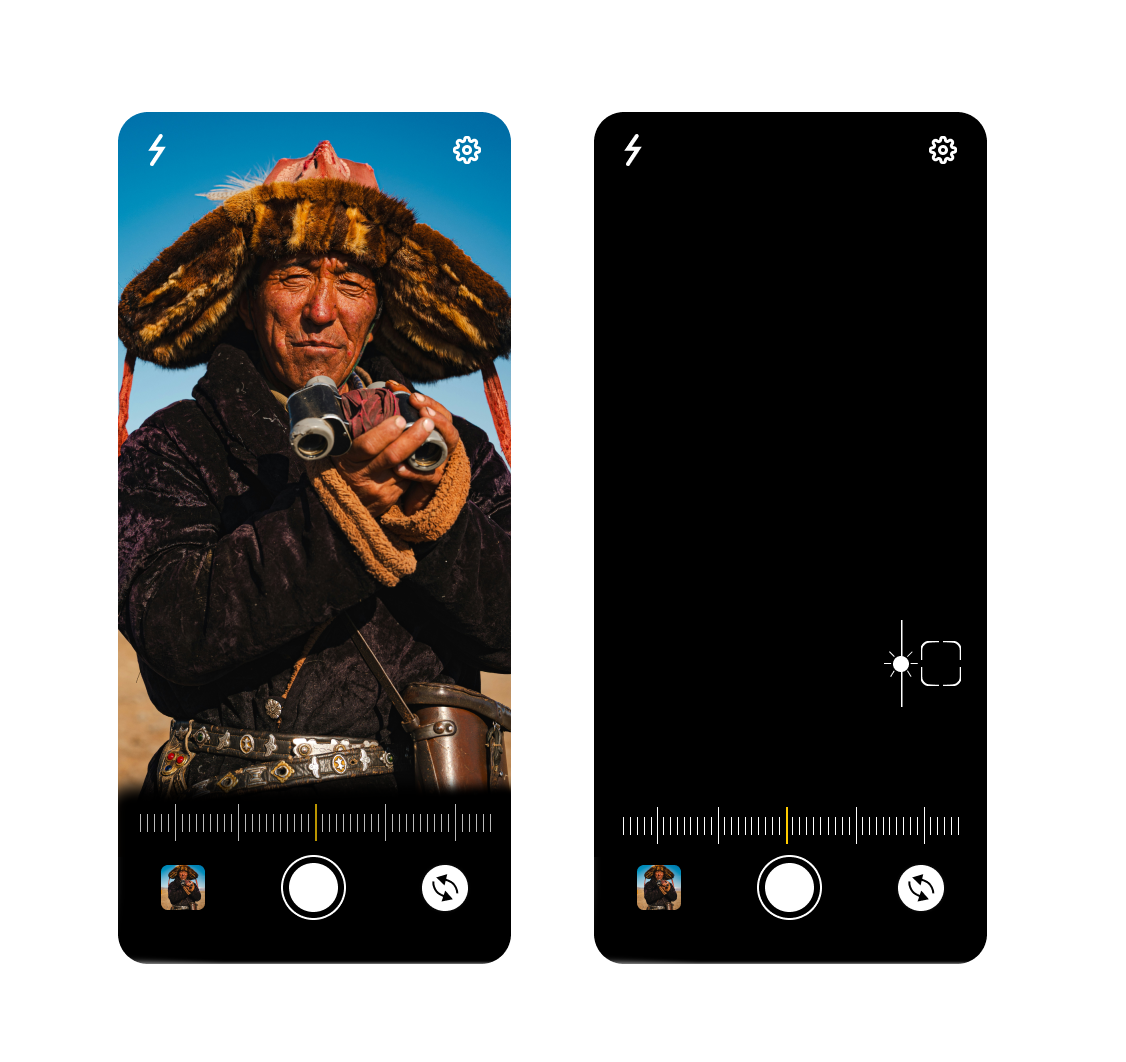
Design the photo-taking flow as a tight sequence: enter camera, capture, review, and either retake or keep. The main screen should be the live viewfinder, not a settings panel. Put the shutter button in the primary thumb zone, with camera flip, flash, and timer nearby but secondary.
Before capture, show only the controls needed to take the shot. If you include grids, aspect ratio, or exposure controls, keep them optional and easy to dismiss. The user should be able to understand framing, camera state, and available actions at a glance without hunting through menus.
After capture, freeze the image and surface a small preview with the next decision clearly visible: retake, accept, or continue to edit/share. Keep the original photo intact until the user confirms. If permissions are missing, storage is full, or the camera fails, show the issue in place and offer the fastest recovery action.
What to deliver
- Design the camera entry screen with permission status and a clear start capture action.
- Show the live viewfinder with shutter, flip camera, flash, and timer controls within thumb reach.
- Add capture feedback with a thumbnail preview and quick retake/confirm actions.
- Include composition aids and advanced controls as optional overlays, not default clutter.
- Design permission, storage, and camera error states with a clear recovery path.
For inspiration, study the camera interfaces of popular social media apps. They often prioritize speed and ease, with gestures for switching cameras and recognizable icons for user familiarity.