Gallery
See what others have created
sketchyshubham
@sketchyshubham
Remote Wildlife Monitoring Device Interface
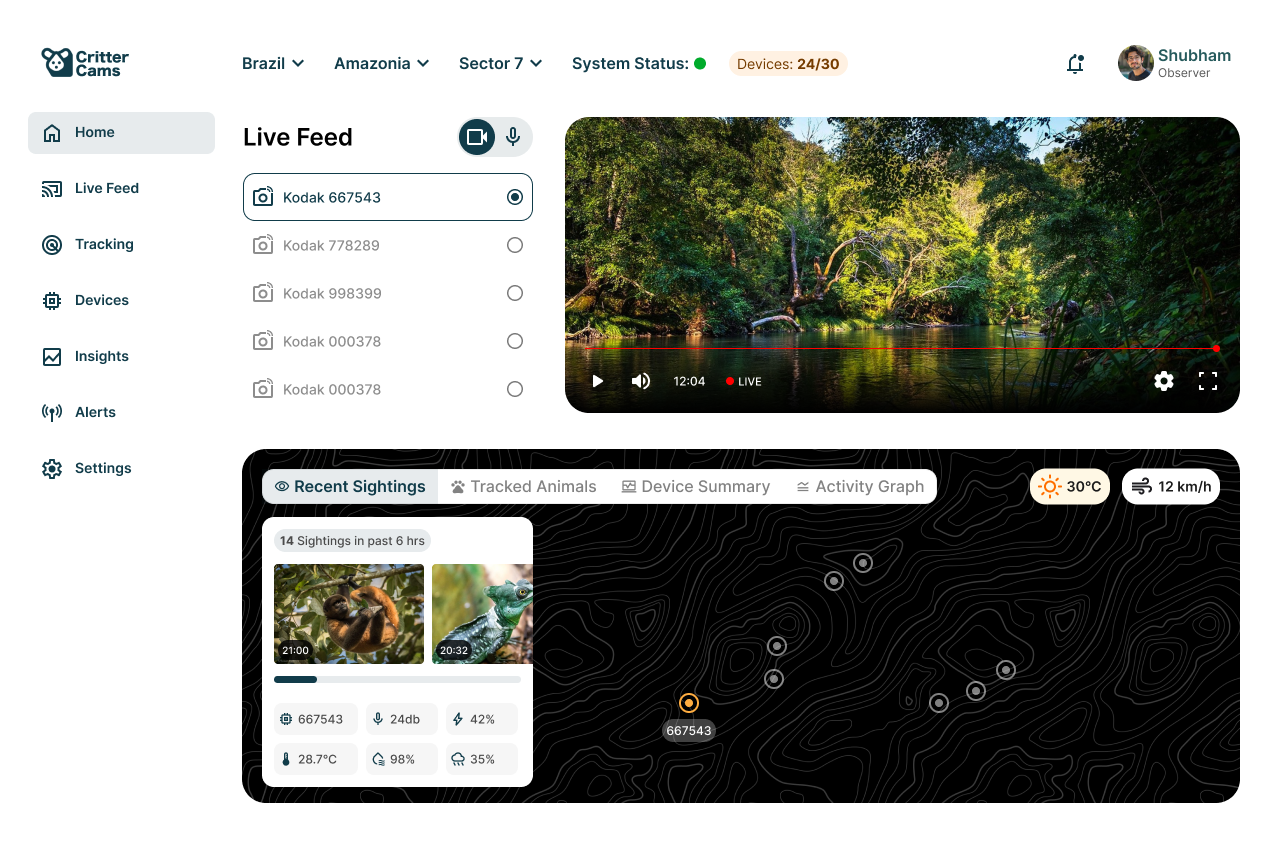
Design a monitoring dashboard for a remote wildlife device used by researchers and conservation teams. The screen should center on one active site or one active camera feed, with the live view, current location, and key sensor readings visible at the same time. The goal is to spot activity fast, confirm whether it matters, and move to the next action without digging through menus.
Show the live camera feed as the primary panel, with a nearby map pin, timestamp, battery level, signal quality, and environmental readings such as temperature or movement. Add a compact activity history that shows recent detections, species tags, and event times. If the device is idle, offline, or sending weak data, the interface should make that state obvious immediately.
Alerts need to be specific: motion detected, camera obstructed, battery low, storage full, or connectivity dropped. Each alert should explain the impact and offer a clear next step, such as reviewing footage, adjusting a threshold, or marking the event for later analysis. Include controls for snapshot, recording, zoom, and placing a field note or marker on the timeline.
Keep the layout usable in field conditions and on a desktop review workflow. Prioritize glanceable information, clear contrast, and touch-friendly controls. The screen should feel like a working tool for tracking wildlife activity, not a generic analytics page.
What to deliver
- Design the main monitoring screen with live camera, map, and sensor status.
- Show recent wildlife activity as a timeline or chart with clear time labels.
- Include alert states for motion, low battery, signal loss, and device offline.
- Add device controls for camera, recording, and marker placement.
- Provide a detail view for one tracked animal or one monitored site.
Incorporate intuitive icons and an earth-toned color palette to harmonize with the wildlife theme, enhancing the user experience.