Gallery
See what others have created
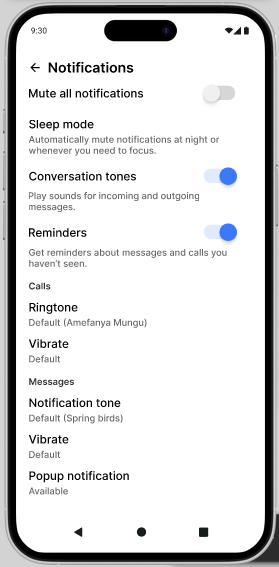
mercymachoni
@mercymachoni
Muting
Design the muting flow for a single in-app conversation or notification source. Show the control before action, the moment it is activated, and the state after muting. The user should understand exactly what is being muted, for how long, and where to change it back.
Use a clear control in the source context: a menu item, toggle, or button attached to the conversation or alert. After activation, the muted state should be visible in place, with a label or icon that reads as muted at a glance. If the app supports duration options, show them in the same flow instead of hiding them in a separate settings screen.
Include the return path. Unmuting should be available from the muted state without hunting through settings. Add a brief confirmation or toast that explains what changed and gives a direct undo action. Keep the interaction usable with keyboard and touch, and make the non-gesture path as clear as the primary one.
What to deliver
- Design the default mute control in context.
- Design the active muted state with clear status.
- Include a confirmation or toast after muting.
- Show how users unmute from the same surface.
- Include an accessible alternative to gesture-only mute.
Design the 'Muting' flow visual cues with the psychology of colors in mind. For instance, using shades of red to indicate an active sound and shades of grey or blue when muted can intuitively signal status changes to the user.