Gallery
See what others have created
mercymachoni
@mercymachoni
Canvas
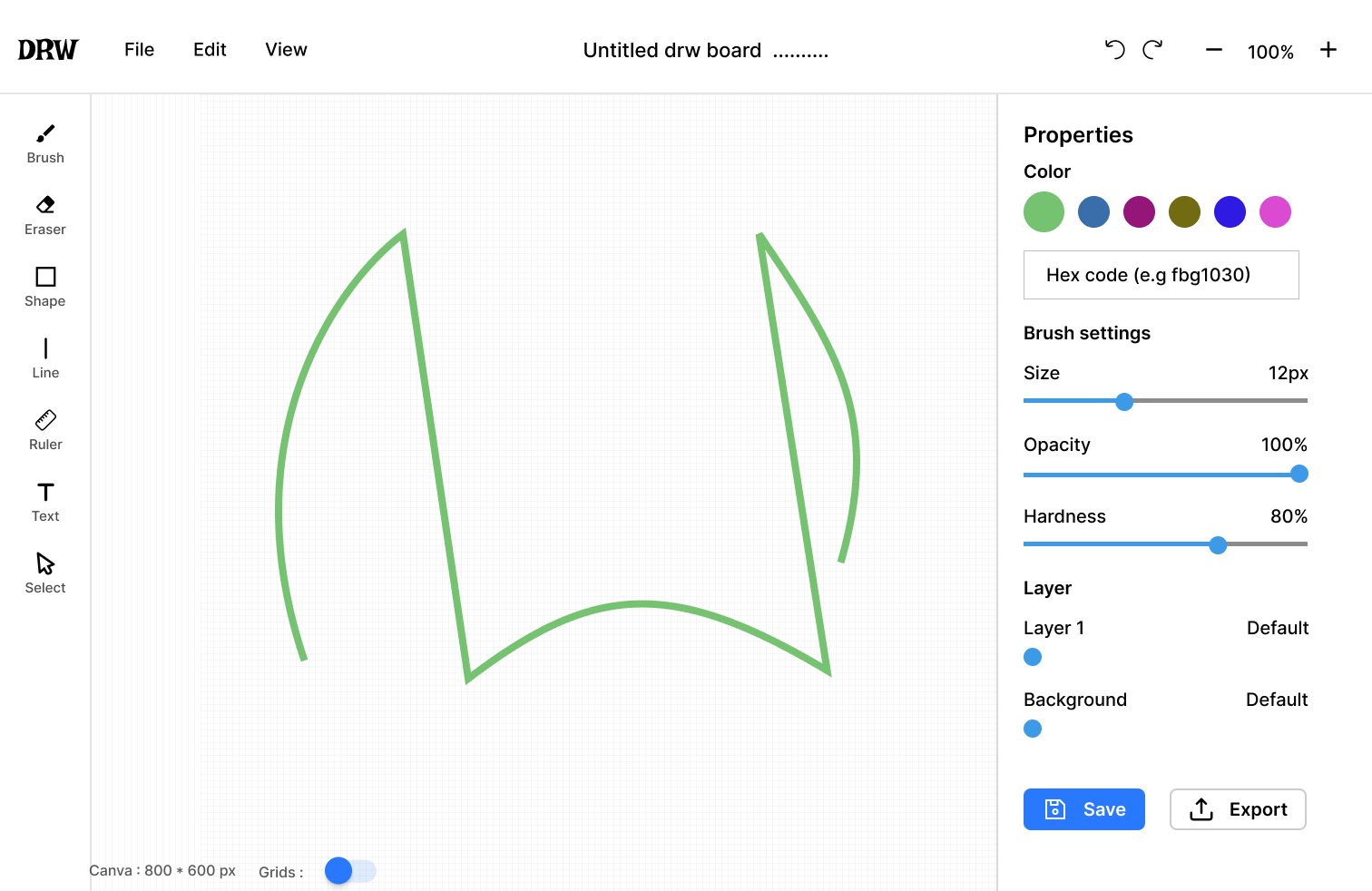
Design a digital canvas for drawing, sketching, and light image editing. The screen should feel like a real working surface, not a gallery page. The artboard needs to be the visual center of the layout, with the surrounding UI kept quiet and functional.
Include the core controls a creator uses constantly: brush/tool picker, color selector, brush size, layers, undo/redo, and zoom. Show which tool is active, what color is selected, and how the user changes stroke size without losing context. Keep the controls grouped so the user can move between them fast.
Design the canvas with a useful empty state and at least one in-progress state. The empty state should tell the user what to do first. The active state should show marks on the page, visible selection or focus cues, and enough structure that the workspace still reads clearly when tools, panels, or layers are open.
What to deliver
- Design the main canvas workspace with a visible artboard and surrounding tool chrome
- Place primary drawing tools in a clear, reachable toolbar
- Show color, brush, and layer controls with their active states
- Include at least one helper state for undo, redo, zoom, or tool switching
- Design an empty canvas state that invites the first mark
Incorporate keyboard shortcuts into the design to enable power users to operate more efficiently.