Gallery
See what others have created
natalia
@natalia
Purchasing & Ordering
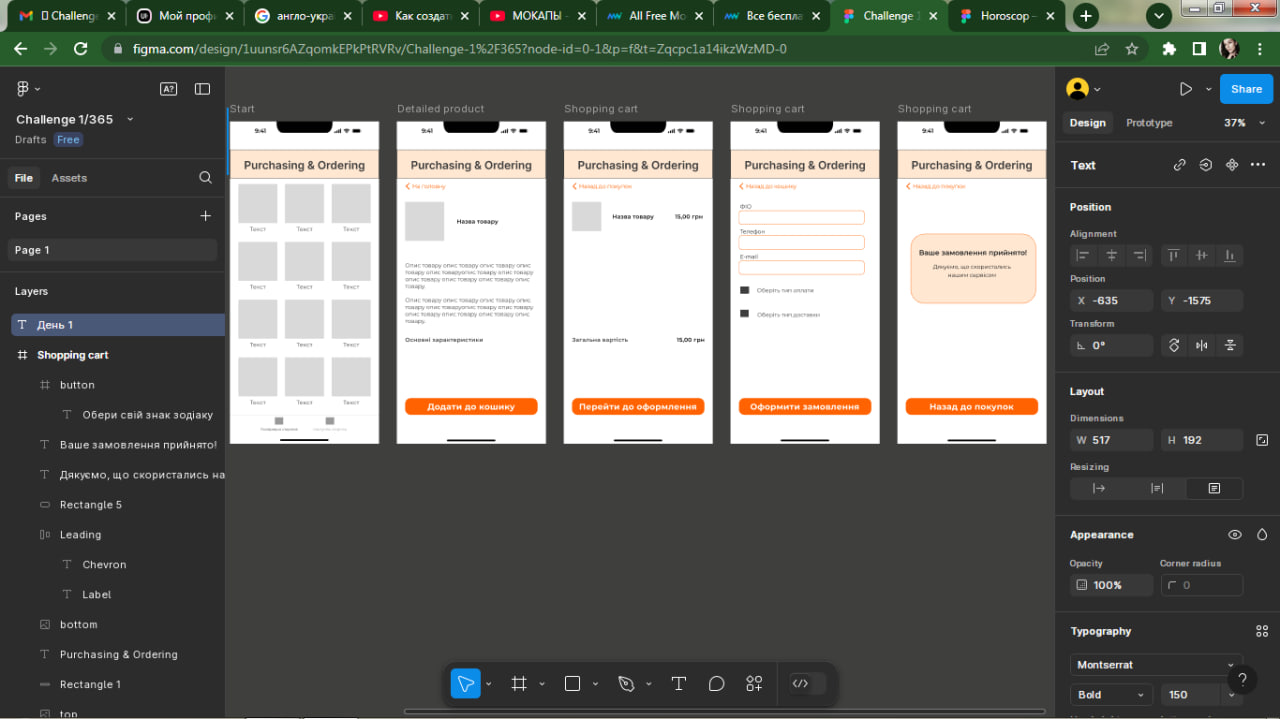
Design a purchase flow for a shopping app or store that starts on product selection and ends at order confirmation. Treat it as one continuous path, not a set of disconnected pages. The user should be able to browse, inspect a product, add it to cart, adjust the order, and finish checkout without losing track of price, quantity, or delivery details.
Include a product listing or selection view, a product detail view, a cart, and a checkout sequence with shipping, payment, and review. Make the primary action obvious on every screen. If a user changes quantity, removes an item, applies a promo code, or edits an address, the updated totals should stay visible. Keep the cart accessible from the flow so the user can recover without starting over.
Design the failure states too: empty cart, invalid payment, out-of-stock item, and loading while totals or shipping options update. Each error should preserve entered information and point to the next fix. The final confirmation should show what was ordered, the delivery destination, and a clear receipt or order number.
What to deliver
- Design product selection, product detail, cart, and checkout screens
- Show quantity edits, remove actions, and saved-state feedback in cart
- Include shipping, payment, and review steps with clear progression
- Ship confirmation and post-purchase receipt states
- Add error, loading, and empty states where the flow can break
Reflect on your own frustrations when shopping online, and use those insights to eliminate pain points in your mockup. A great flow not only looks good but also feels effortless to the user.