Gallery
See what others have created
ragingbatch
@ragingbatch
Ban & Block
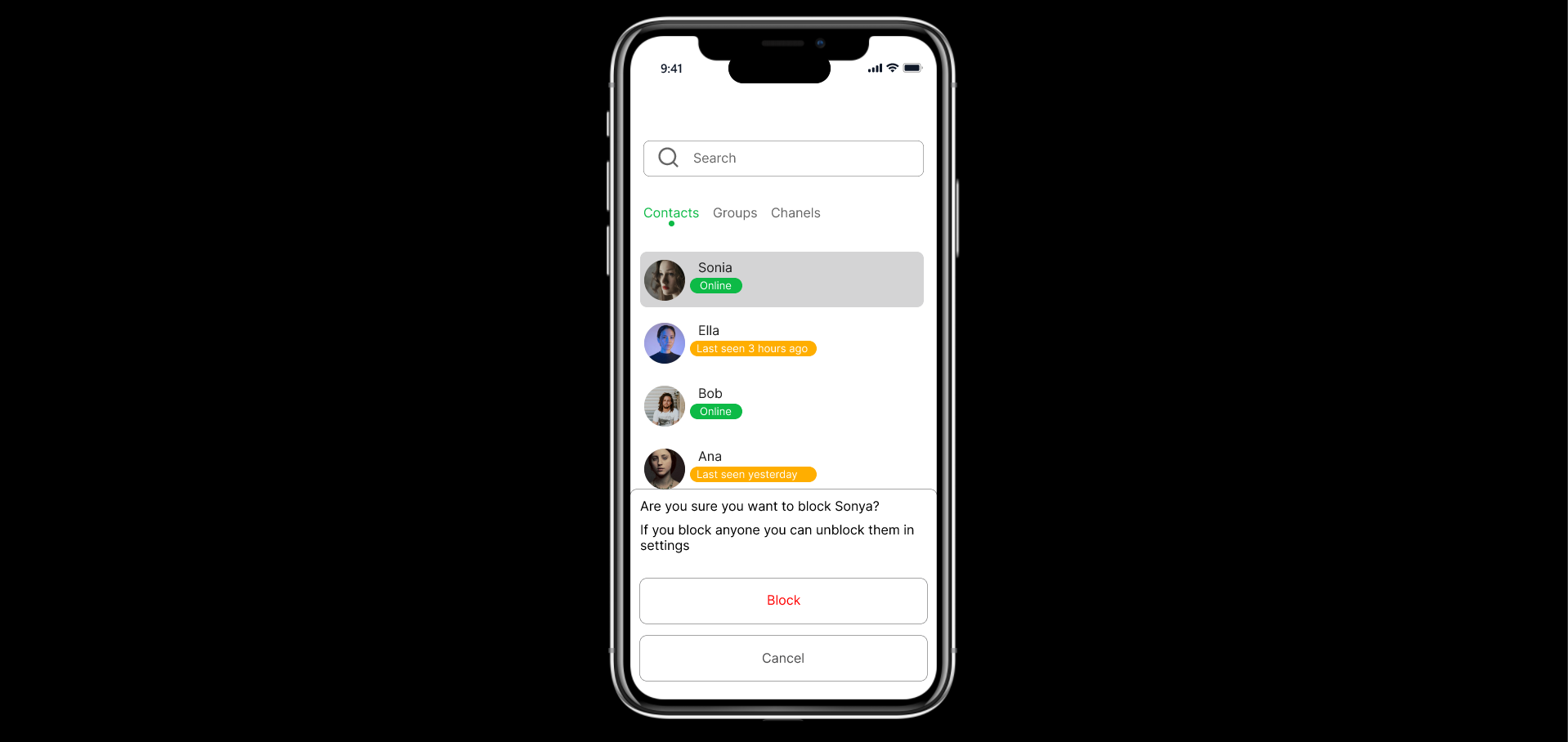
Design a moderation control surface for banning and blocking users or content. Treat this as a settings screen, not a warning modal: users should be able to review current restrictions, add a new restriction, and remove one without losing context.
Separate the two actions clearly. Ban and block should not feel interchangeable; show what each one applies to, what it affects, and how long it lasts if duration is supported. If the product supports both people and content, make that distinction visible in the layout and labels.
The main screen should surface the current list of restricted accounts or items with status, reason, source of action, and date applied. Include a primary action to add a new ban/block, plus secondary actions to edit, lift, or view details. When the user starts a new action, show a confirmation state that spells out the consequence in plain language before they commit.
Include list empty, loading, and failure states. If an action succeeds, show immediate feedback and keep the updated item visible so the change is easy to verify. Make the hierarchy readable and the recovery path obvious.
What to deliver
- Design a ban/block settings screen with distinct actions for people and content.
- Add a confirmation step that states the consequence before the action is committed.
- Show the current blocked/banned list with status, source, and timestamp.
- Include unblock/unban controls with clear recovery paths.
- Add empty, loading, and error states for the management list.
Infuse empathy into your design by offering users a reversibility option or a cooling-off period, making the interaction less final and more user-centric.