Gallery
See what others have created
denisso
@denisso
Photo
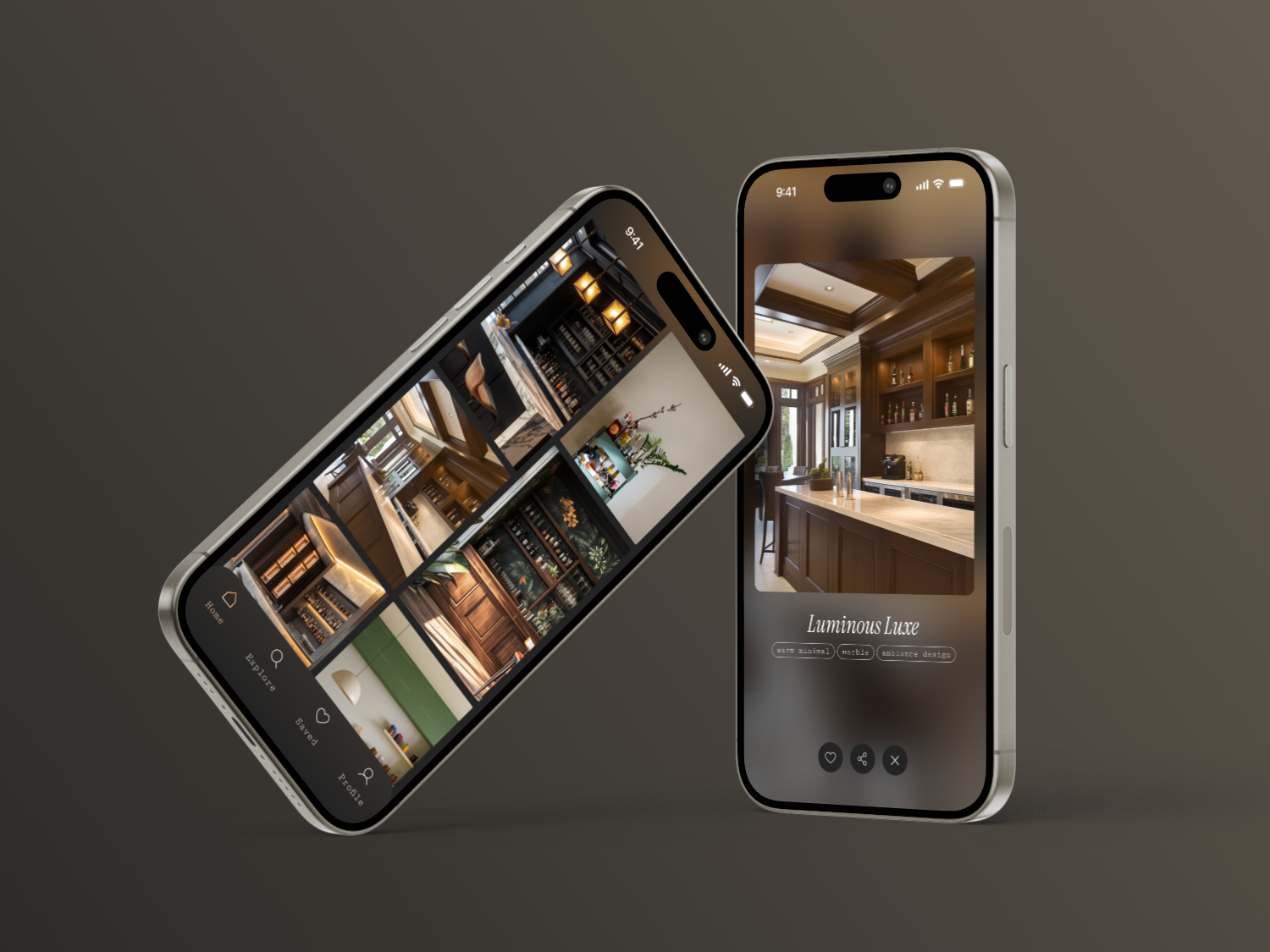
Design a photo browsing component for a social app: a grid of image thumbnails that opens into a full-screen viewer. The gallery should feel image-first, with minimal chrome and clear hierarchy between browsing and viewing.
In the grid, photos need consistent cropping, spacing, and loading behavior so the layout stays stable as images arrive. Each thumbnail should support a simple hover/pressed treatment and a clear selected state when it opens in the viewer.
The full-screen view should focus on one photo at a time, with obvious next/previous controls, a close action, and a small action row for like and share. Keep controls readable over mixed image content, and make sure gestures or buttons work the same on desktop and mobile.
Include empty, loading, and error states for missing or failed images. Those states should keep the user oriented and offer a clear next step instead of leaving blank space.
What to deliver
- Design a photo gallery grid with thumbnail cards
- Design a full-screen photo viewer
- Show next, previous, and close controls in the viewer
- Add loading, empty, and error states for image content
- Include a simple like/share action area
Incorporate a 'lazy loading' feature in your design mockup to simulate efficient image loading, which enhances performance and user engagement without sacrificing visual quality.