Gallery
See what others have created
design_catalyst
@design_catalyst
Audio Equalizer
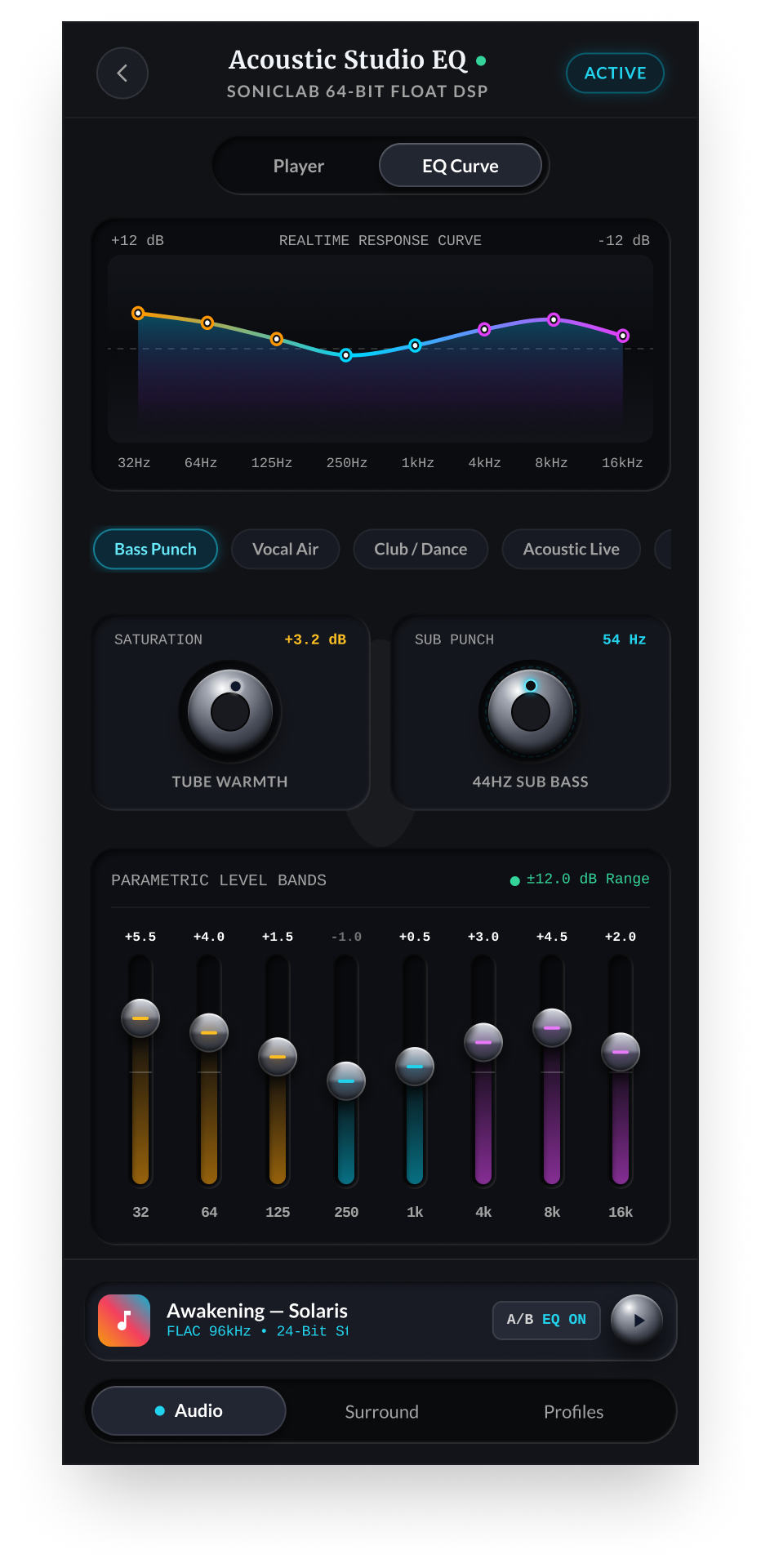
Design the mobile audio equalizer screen for a music or podcast app. The main focus is a row of draggable frequency-band sliders, each tied to a labeled band, with the resulting EQ curve drawn across the graph area behind or above them.
The screen should feel like a live tuning surface, not a settings form. Users need to see how moving one band changes the curve and how nearby bands relate, so the visual connection between handles, bands, and the curve matters.
Preset chips sit near the top or above the sliders as quick starting points: Bass Boost, Vocal, Treble, Flat, and similar. The active preset should be obvious, but the user can still fine-tune individual bands after choosing one.
Think mobile-first: one-handed reach, compact labels, and enough spacing to drag accurately. The layout should handle more bands than fit comfortably on a small screen without turning the controls into clutter.
Include the states that make it feel alive: default flat curve, preset selected, a slider being dragged, and the curve updating in response. The design should make the current sound profile easy to read before the user commits to listening.
What to deliver
- Design the equalizer screen default state with all bands centered.
- Design the preset chip row with one selected preset and clear active styling.
- Design the draggable slider controls with labels, values, and touch targets.
- Show the EQ curve updating across the band graph as sliders move.
- Include a compact playback/control area if needed for quick A/B listening.
Anchor the curve to the slider positions in real time; if the curve and handles feel slightly out of sync, the whole screen will read as decorative instead of functional.