Gallery
See what others have created
cooling_shopkeeper
@cooling_shopkeeper
QR / Barcode Scanner
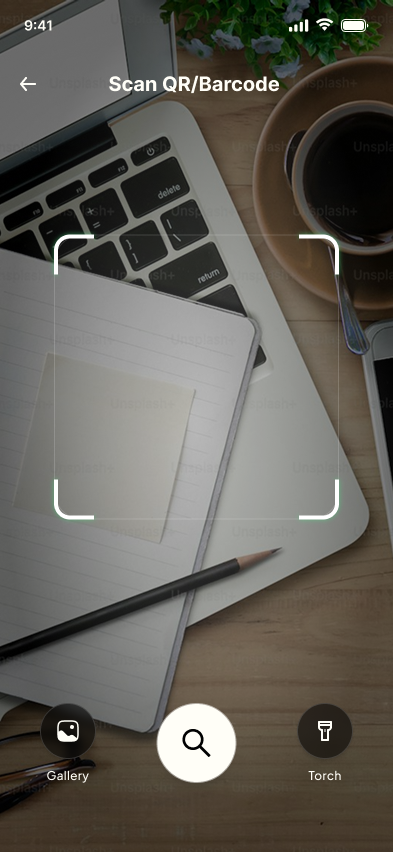
Design the live scanner camera screen for QR and barcode capture. The viewfinder is the main surface: a reticle sits over the camera feed and helps the user aim at a code quickly.
When a code is recognized, surface a result chip or action without burying the camera view. The transition from scanning to detected should feel immediate, with the code content visible enough to trust.
This is a mobile camera task, so the preview, reticle, and result treatment need to work in one handed use. Keep the camera active while the result appears, so the user can confirm before acting.
Make the detected state specific to the code type and outcome. A URL, contact card, or product code may need different labels or actions, but the scanner frame should stay the same.
What to deliver
- Design the default live scanner view with reticle and camera controls.
- Design the detected state with a result chip and primary action.
- Design at least two code-type variations, such as URL and text or product code.
- Design a manual entry or flashlight fallback if the camera cannot read the code.
- Show the state where the code is found but not yet acted on.
Use the reticle as the anchor for feedback: pulse, lock, then place the result chip close to it so detection feels tied to what the camera just found.