Gallery
See what others have created
cooling_shopkeeper
@cooling_shopkeeper
Floating Action Button Menu
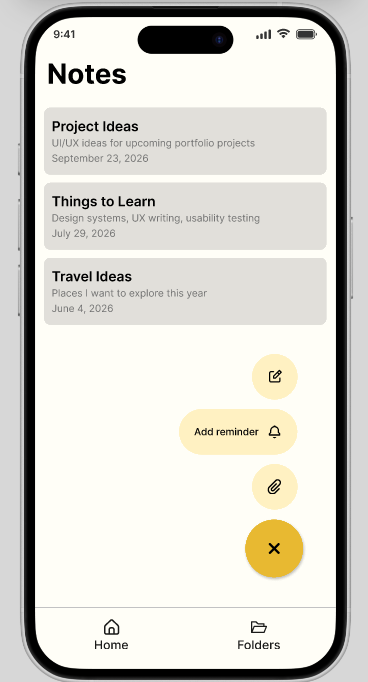
Design a mobile screen where a prominent FAB sits at the bottom-right and expands into a small action menu on tap. Treat the FAB as the entry point, not the whole pattern: the closed state, expanded state, and the transition between them should all feel native to a phone UI.
The menu should expose multiple related actions that clearly belong together. Keep the relationship between the main FAB and its child actions obvious through spacing, labels, and motion so the user can tell what each option does without hunting.
Make the expanded menu work in real app chrome, with content behind it, thumb reach, and nearby navigation or content elements that still need to be readable. The design should account for how the menu overlays the screen without feeling detached from the underlying context.
This challenge is interesting because the FAB has to carry both discovery and control: it is a compact affordance when closed, then becomes a small decision point when open. The design should make that change feel intentional and quick to scan.
What to deliver
- Design the closed FAB state in a realistic mobile screen.
- Design the expanded menu with 3–5 related actions.
- Show the open/close interaction state so the FAB’s role is clear.
- Place the menu over actual screen content, not an empty canvas.
- Include a clear visual treatment for the primary FAB versus secondary actions.
Use labels that appear close to each child action, not far away from the FAB, so the menu reads as one grouped control instead of separate buttons floating in space.