Gallery
See what others have created

esakki
@esakki
Slide-to-Unlock Control
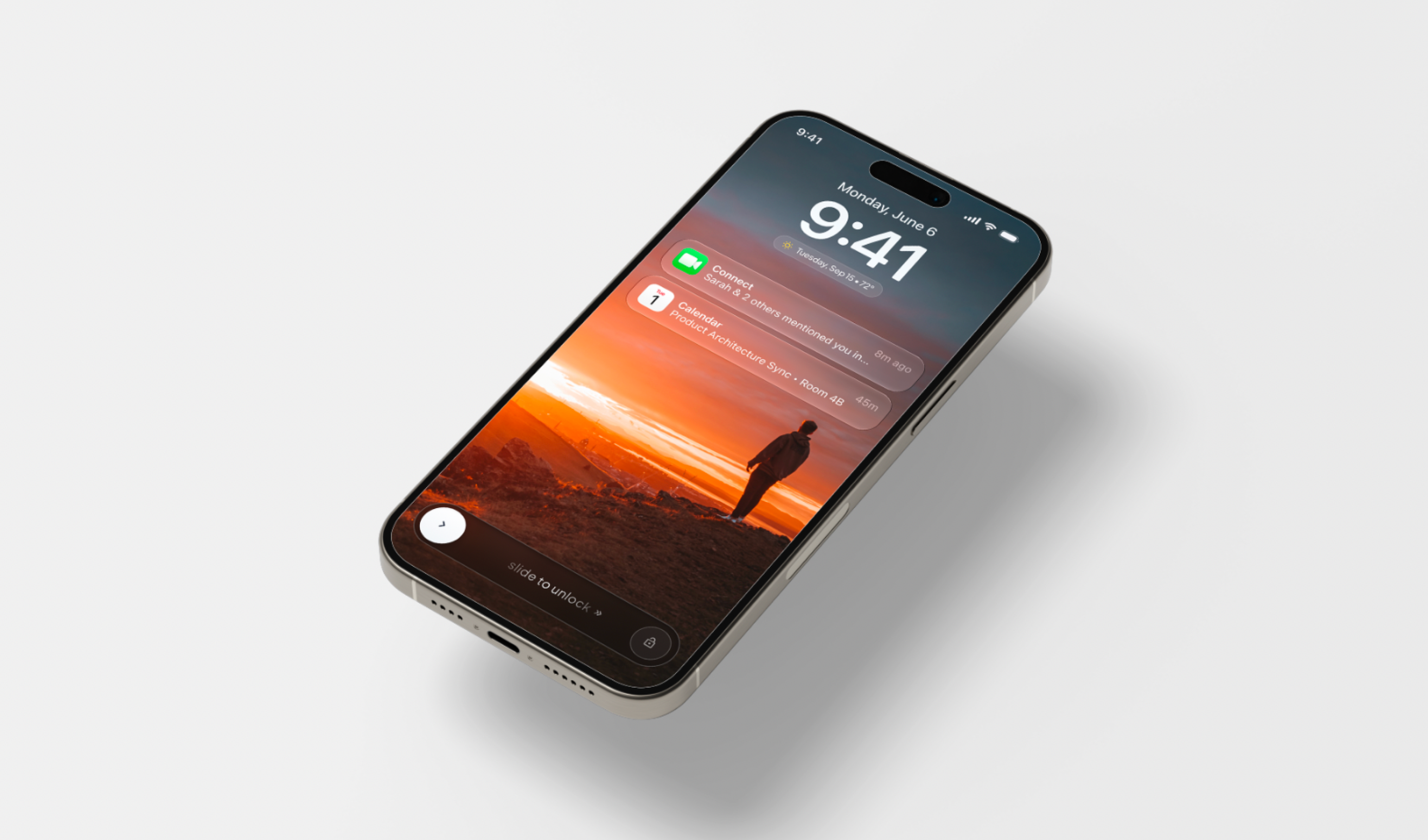
Design the lock screen’s default slide-to-unlock state for mobile. The control sits on top of the lock screen, with a thumb/button that starts at one end of a track and moves to the other end to unlock.
The screen should still read as a locked phone at rest: time, status, and background context can be present, but the slider must be the clearest interactive element. Make the drag path obvious without looking like a tap target.
Focus on the control before the gesture begins. The thumb needs a clear resting position, the track needs a visible destination, and the screen should communicate that dragging all the way across is what completes unlock.
Think through how the control behaves while being held and dragged, but keep the brief centered on the default state. The design should make the action feel deliberate, physical, and hard to mistake for a simple button press.
What to deliver
- Design the locked screen default state with the slide-to-unlock control.
- Show the thumb at rest, aligned to the start of the track.
- Indicate the full drag path and unlock destination.
- Include the surrounding lock-screen context without competing with the control.
Use strong start/end contrast on the track: a distinct thumb at the left and a visible unlock destination at the right make the gesture read instantly.