Gallery
See what others have created
sheeshable
@sheeshable
Interactive Museum Exhibit Display
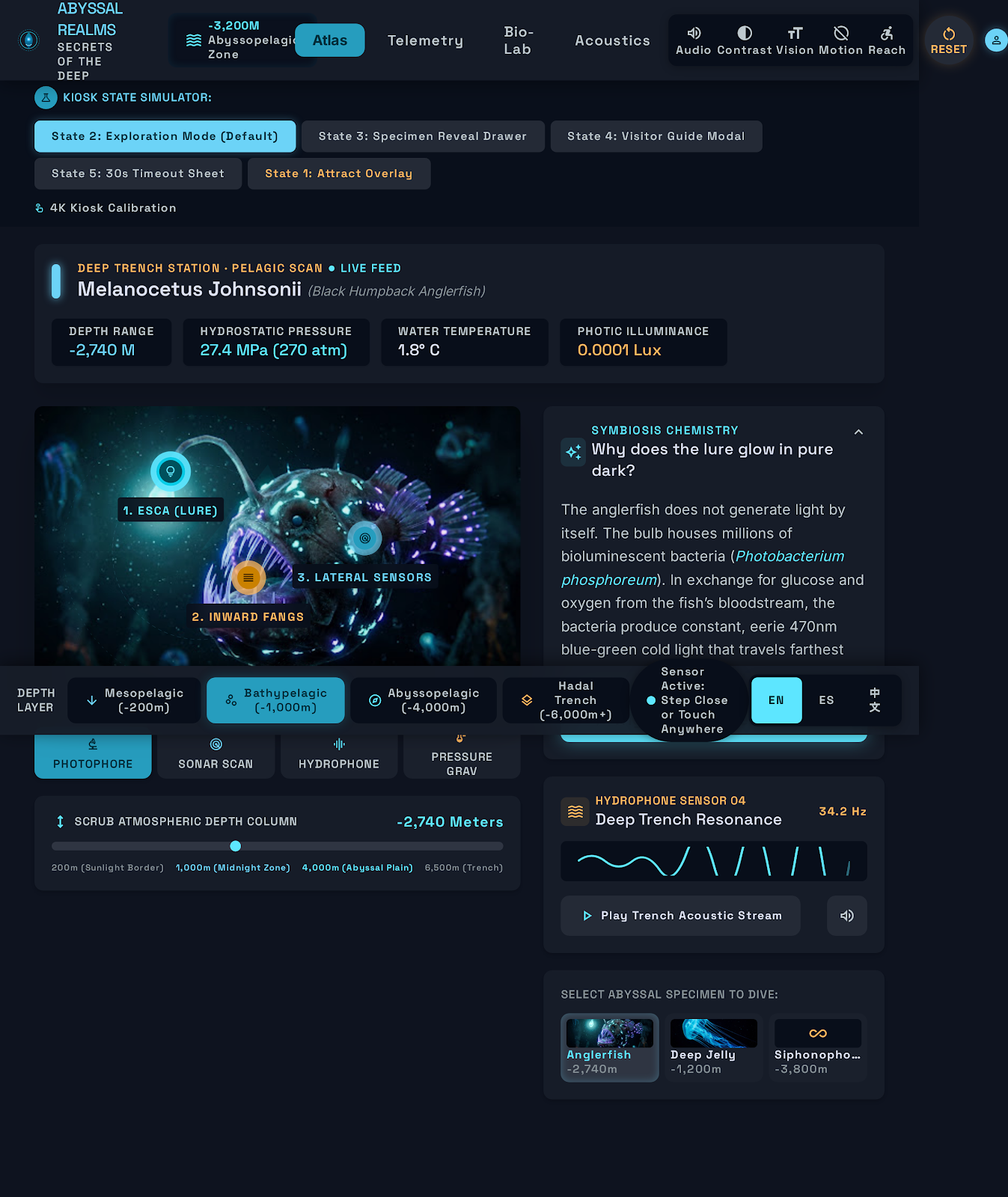
Design the main screen for an interactive museum exhibit display. This is the public-facing UI visitors see at the wall, kiosk, or table. It should work for a mixed crowd: children, adults, school groups, and people passing by with only a few seconds to stop and engage.
Start with an idle state that attracts attention without feeling noisy. Show the exhibit title, one short instruction, and a few obvious ways to begin: tap, swipe, or step into range if motion is supported. Once interaction starts, the interface should switch into a clear exploration mode with large targets, readable labels, and content that unfolds in small pieces rather than a dense block of text.
Design the full loop: attract, start, explore, reveal, and reset. The display should show what changed after each action, keep the current context visible, and make it easy to restart for the next visitor. If the exhibit uses motion or sensors, include a fallback path for touch-only use. If audio or animation is part of the experience, provide a quiet mode and a reduced-motion state.
What to deliver
- Design the exhibit home state with a clear start prompt and 2–4 entry points.
- Show one core interaction flow from exploration to reveal to reset.
- Include idle, active, and post-interaction states for the display.
- Add accessibility treatments for touch, motion, and low-vision users.
- Define a lightweight help state for first-time visitors.
Enliven the user experience with subtle animations that guide visitors' attention and encourage exploration without overwhelming the content.