Gallery
See what others have created

designbybhumika
@designbybhumika
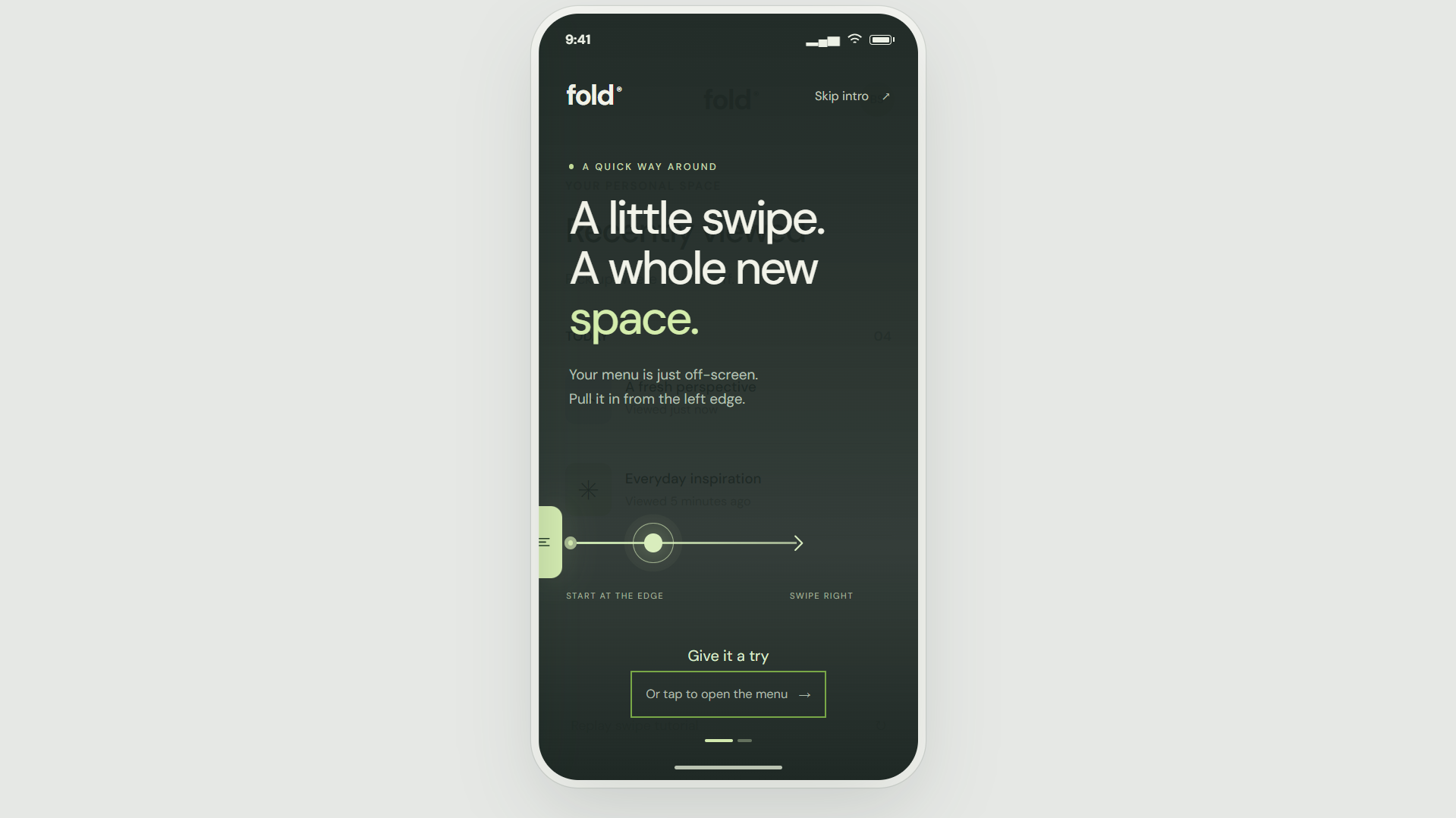
Gestural Drawer Swipe Hint
Design a tutorial-style mobile screen that teaches a left-edge swipe to open the navigation drawer. It should feel like part of the app’s normal onboarding, not a floating help card pasted on top.
The main focus is the gesture cue: a clear visual prompt that starts at the left edge and implies a horizontal pull into the screen. Keep it simple enough to read instantly, even before the user interacts.
Use the rest of the screen to support the hint without competing with it. A dimmed app backdrop, subtle header, or faint content silhouette can help users understand where the drawer lives.
This is a navigation moment, so the screen should make the relationship between the edge swipe and the hidden menu obvious. The challenge is to communicate motion, direction, and affordance using only a static UI.
What to deliver
- Design the full-screen tutorial state for the left-edge swipe hint.
- Show the gesture cue with a clear direction from the edge into the screen.
- Include a minimal background that suggests the app behind the drawer.
- Add any short instructional copy, if needed, without stealing focus from the gesture.
- Define the primary dismissal or continue control for this hint.
Anchor the cue to the actual left edge of the device frame; if the arrow or hand sits too far inboard, it stops feeling like a swipe gesture and starts reading like decoration.