Gallery
See what others have created

yasshhi
@yasshhi
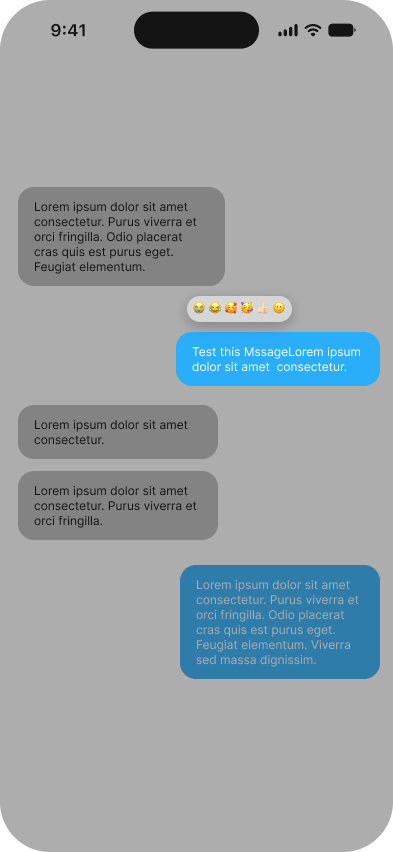
Emoji Reaction Popover
Design the reaction popover that appears after a long-press on a chat message or post comment in a mobile app. It sits on top of the live conversation, anchored to the pressed item, and should feel like a quick, in-place response rather than a separate mode.
The popover needs to show a small set of emoji reactions with clear tap targets, plus enough context so the user knows exactly which message is being reacted to. Keep the relationship between finger, message, and reaction choices obvious while the overlay is open.
Think through how the popover avoids covering the message content it refers to, especially near the top or bottom of the screen. The layout should adapt to available space without losing the sense of proximity to the original message.
This is a gesture-driven moment, so the UI has to teach itself fast. The user should understand that a long-press opened it, what each emoji does, and how to dismiss it without committing a reaction.
What to deliver
- Design the reaction popover in its default open state.
- Show the anchored placement for a message in the middle of the screen.
- Show a constrained placement near the top or bottom edge.
- Include the selected/hovered reaction state and the dismissed state.
- Define the tap targets and spacing for each emoji choice.
Use the pressed message as a visual anchor: offset the popover so it never feels detached, and keep the selected emoji large enough to hit with one thumb without moving off the message.