Gallery
See what others have created

yasshhi
@yasshhi
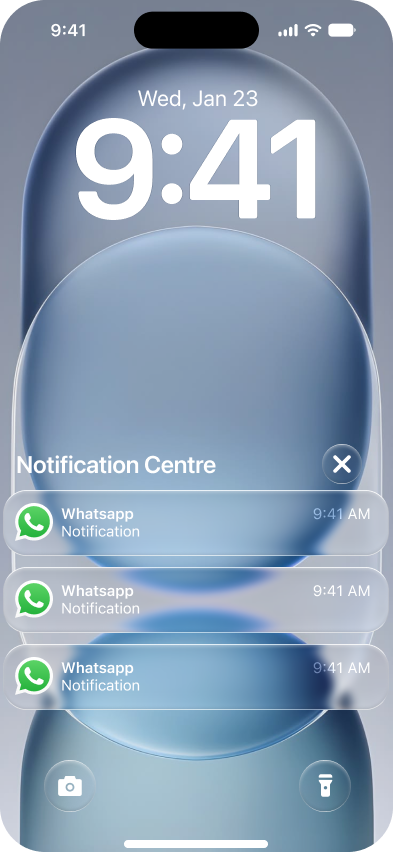
Grouped Notification Stack
Design the collapsed lock-screen state for a grouped notification stack from one app. It should read as a single bundle first, with enough signal to show that several updates are waiting inside.
Then design the expanded view after a tap, where each notification becomes an individual item in the stack. Keep the transition native to mobile system UI, not an app inbox.
The collapsed state needs to carry the app identity, the fact that items are grouped, and a sense of volume without exposing every detail. The expanded state should let the user scan the items quickly and tell them apart.
This is a lock-screen surface, so the design has to work in a constrained, glanceable context. The stack should feel compact when collapsed and orderly when expanded.
What to deliver
- Design the collapsed grouped notification stack on the lock screen.
- Design the expanded stack showing individual notifications from the same app.
- Show how the app icon, count, and preview text work in the collapsed state.
- Show the per-notification layout inside the expanded group.
- Include the tap target and open/close behavior between states.
Use one clear visual cue for count or density in the collapsed state, then preserve the same ordering and spacing when the stack opens so the user can track what changed.