Gallery
See what others have created

misaka
@misaka
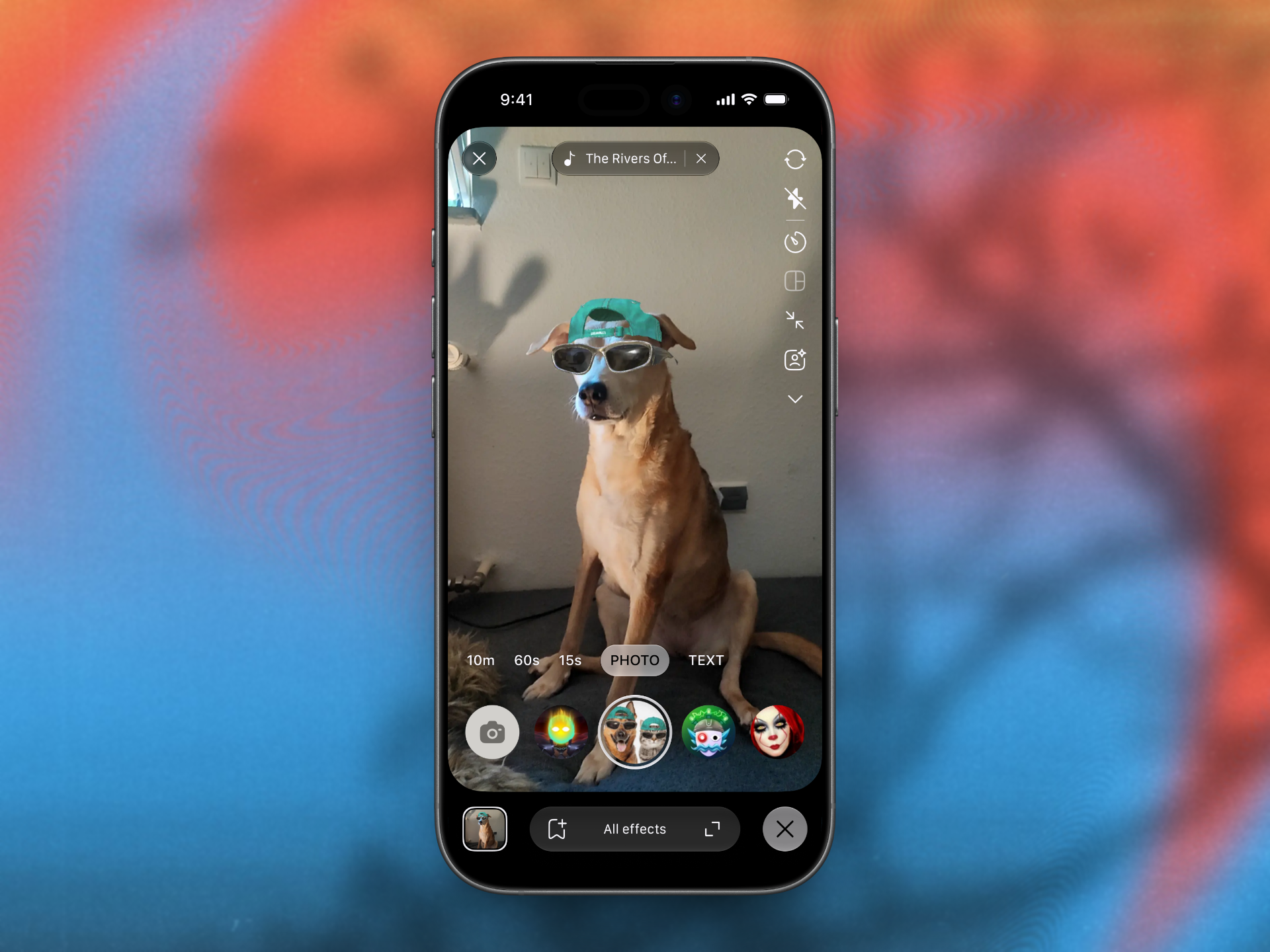
AR Camera Effect UI
Design the AR camera effect screen for a mobile camera app. The live camera preview stays full-bleed, with controls layered on top so the user can keep framing while choosing effects.
The main job is to switch between filters and stickers without losing the shot. Show how effect choices sit beside the shutter flow, how the active effect is exposed, and how the preview reacts in real time.
This screen needs to feel fast under thumb use. The user may be mid-selfie, moving, and switching effects with one hand, so the layout should keep the camera feed readable and the control targets easy to hit.
The interesting part is balancing play and control: effects should feel playful, but the UI still has to make it obvious what is applied, what can be toggled off, and how to return to a clean camera view.
What to deliver
- Design the full-screen camera preview with AR overlays.
- Add filter and sticker pickers that sit over the preview without blocking the face area.
- Show the active effect state and a clear way to remove it.
- Place shutter, flip camera, and effect controls for one-hand use.
- Include a minimal preview response for switching effects in real time.
Keep the active effect visible as a small live chip or badge near the preview, so the user never has to guess whether a filter or sticker is still on.