Gallery
See what others have created
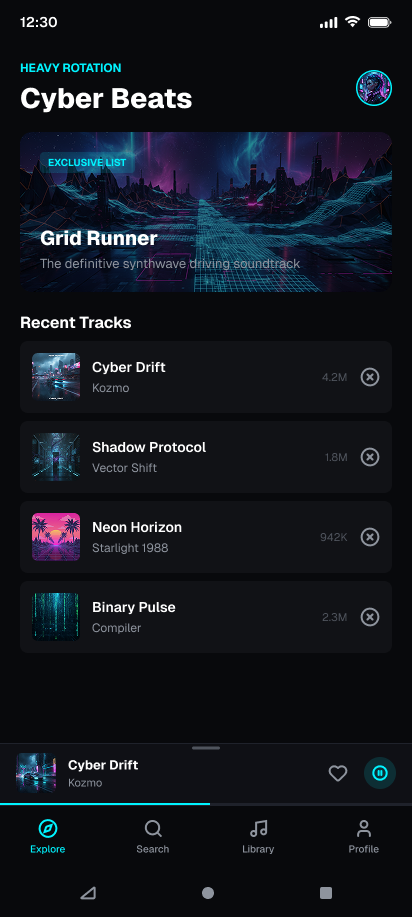
weeping_mausoleum
@weeping_mausoleum
Media Player (Mini to Full)
Design the mini player at the bottom of a mobile music app, in its compact resting state. It should feel like a live control, not a dead footer: track info, playback status, and a clear affordance to expand into full screen.
The mini player needs to work while the user is browsing playlists, albums, or search results above it. Keep the hit area obvious and the controls usable without stealing attention from the current screen.
Show the transition path into the full-screen player through tap or swipe up. The motion should suggest continuity between the two states, so the user understands they’re opening the same session, not navigating away.
In the expanded player, make room for richer playback details: artwork, scrubber, transport controls, and secondary actions. The layout should feel native to a phone and support one-handed use where possible.
What to deliver
- Design the bottom mini player in its default collapsed state
- Design the full-screen player open state
- Show the expand interaction from mini to full
- Include the collapsed control set and the expanded control set
- Show how the player can be dismissed back to mini
Treat the mini player as a compressed version of the full player: keep the same artwork, title, and play state in both, so the expansion feels like unfolding one object.