Gallery
See what others have created

serank2502
@serank2502
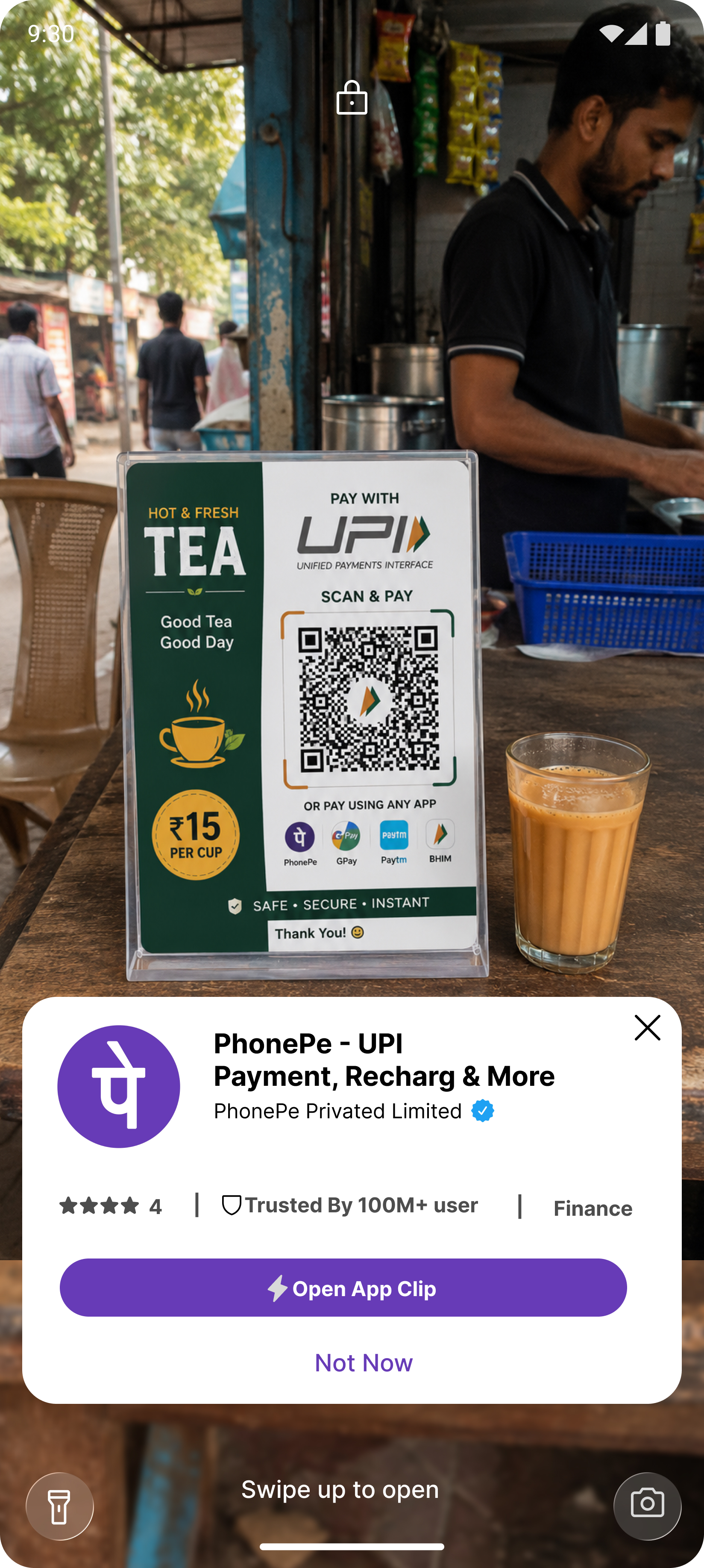
App Clip / Instant App Card
Design the small system card that appears after someone scans a code or taps a supported link to open an App Clip or Instant App. It should feel like a native mobile surface, not an in-app promo or browser sheet.
The card has to communicate what the app is, who made it, and what will happen if the user continues. Keep the layout compact; this is a transient handoff, not a destination screen.
Include the primary action button as part of the card, and make the hierarchy work at a glance on a phone lock screen or over camera content. The card should still read clearly when the app name is long or the icon is busy.
This is interesting because the user is already mid-task and may have only a moment to decide. The design needs to earn trust fast, show enough context to confirm the right app, and make the next step feel deliberate.
What to deliver
- Design the default card state with icon, app name, publisher, and short description.
- Place the primary action button and any secondary dismissal affordance.
- Show how the card handles long app names and publisher names.
- Include a compact trust cue such as rating, category, or source label if it fits the platform pattern.
- Mock the card in a live camera/lock-screen context so spacing and contrast are clear.
Treat the action button as a continuation of the scan flow, not a generic CTA; its label should make the outcome obvious before tapping.