Gallery
See what others have created

serank2502
@serank2502
Hospital Patient Check-in Kiosk
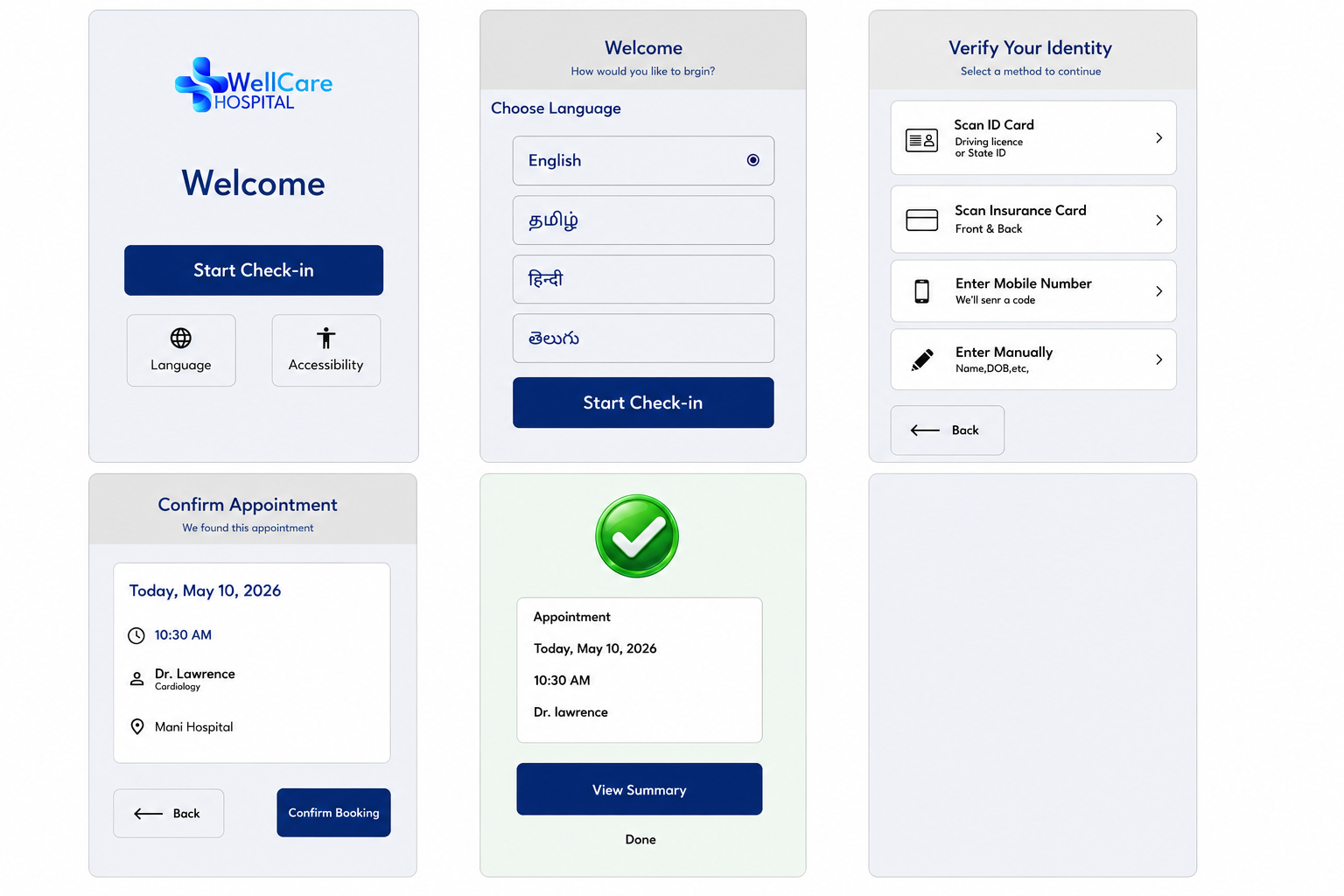
Design a self-service hospital check-in kiosk for arriving patients. The kiosk should feel calm, fast, and easy to use in a public waiting area, where people may be stressed, in a hurry, or using it with one hand while standing. Start with a home screen that offers language selection, accessibility options, and a single clear way to begin check-in.
The flow should cover identity verification, appointment confirmation, and any required updates to contact or insurance details. Keep each step short and linear. Show what the kiosk already knows, what the patient needs to confirm, and what fields still need attention. If something is missing or invalid, the screen should point to the exact issue and keep the patient’s entered data intact.
Include the end states: check-in complete, needs staff help, and waiting for payment or paperwork if that applies. The final confirmation should tell the patient they are checked in, where to wait, and whether they need to do anything else. Design for legibility, large touch targets, and clear status feedback throughout.
What to deliver
- Design the kiosk home screen with language selection and a clear start check-in action.
- Map the check-in flow for identity verification, appointment confirmation, and form updates.
- Create states for successful check-in, missing information, and staff assistance.
- Show accessibility accommodations such as large text, high contrast, and touch-friendly controls.
- Include a final confirmation screen with what happens next and where to wait.
Incorporate familiar visual cues like large buttons for touchscreen ease and progress indicators to reassure users they're on the right track.