Gallery
See what others have created
sheeshable
@sheeshable
Social Feed
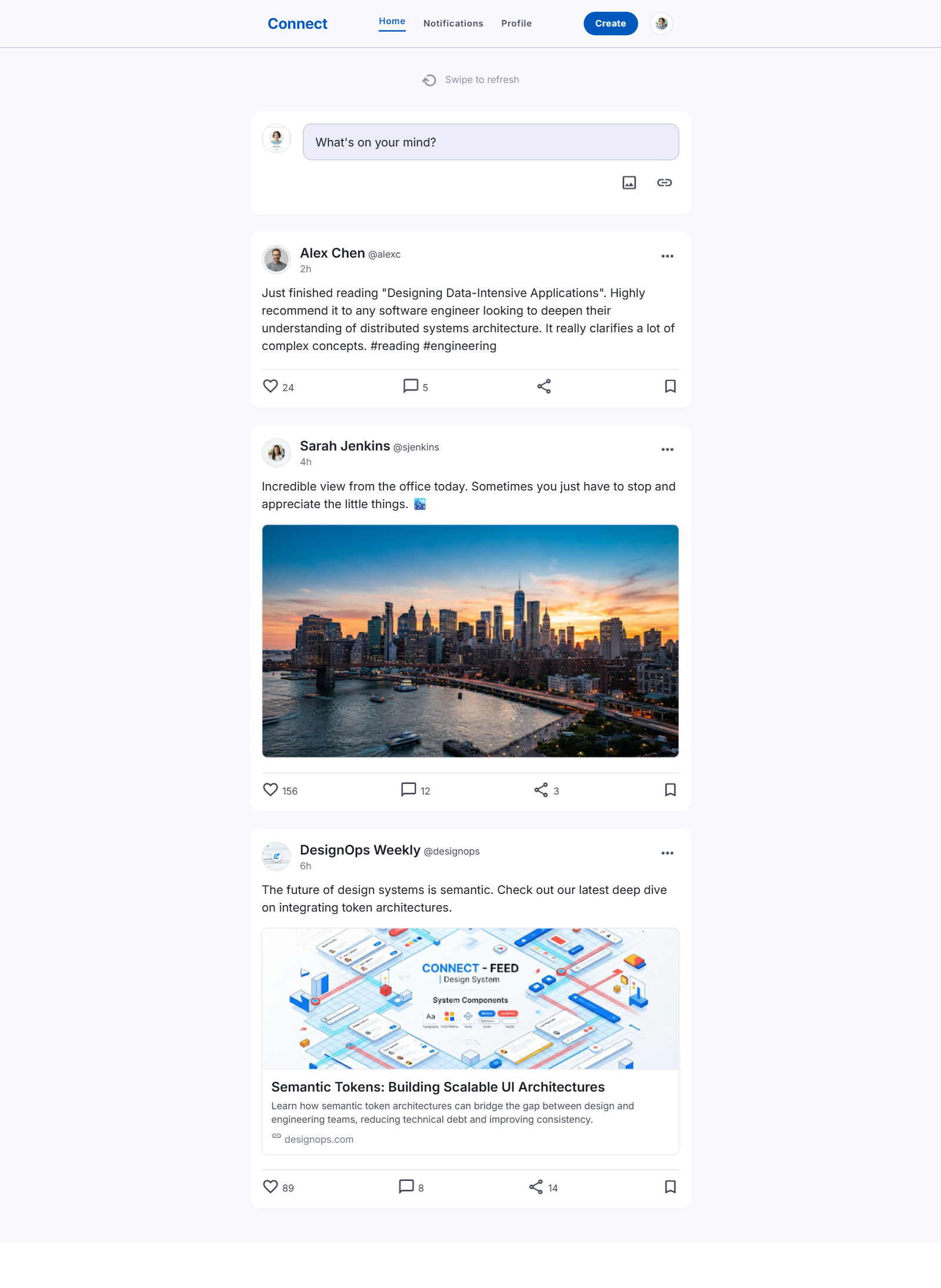
Design a social feed screen for a mobile app or responsive web view. The page should show a scrollable stream of user-generated posts with clear hierarchy: avatar, display name, timestamp, content, and action row. Keep the feed readable even when post types vary.
Include at least two different post formats in the same system, such as a text-only post, an image post, a video post, or a link preview. Each format should reuse the same card structure so the layout feels consistent while still accommodating different content lengths and media ratios.
Place a visible create-post entry point above the feed, and show how new posts are introduced without breaking the scroll. Add lightweight notification or activity cues only if they fit naturally in the header or feed chrome. Make the interaction model obvious: tap the avatar or name to open the profile, tap the heart to like, tap comments to open the thread, and tap share for outbound actions.
Include at least one loading state and one empty state. The loading state should suggest that content is arriving; the empty state should tell the user what to do next, such as following people or creating the first post.
What to deliver
- Design the feed layout with post cards, author header, and content area.
- Show at least two post types, such as text plus image and video or link preview.
- Add like, comment, share, and save actions on each post.
- Include a composer or create-post entry point above the feed.
- Design one loading state and one empty state for the feed.
Engage users by including interactive elements like animated reactions and 'swipe to refresh' gestures.