Gallery
See what others have created
sheeshable
@sheeshable
Audio & Control Configuration
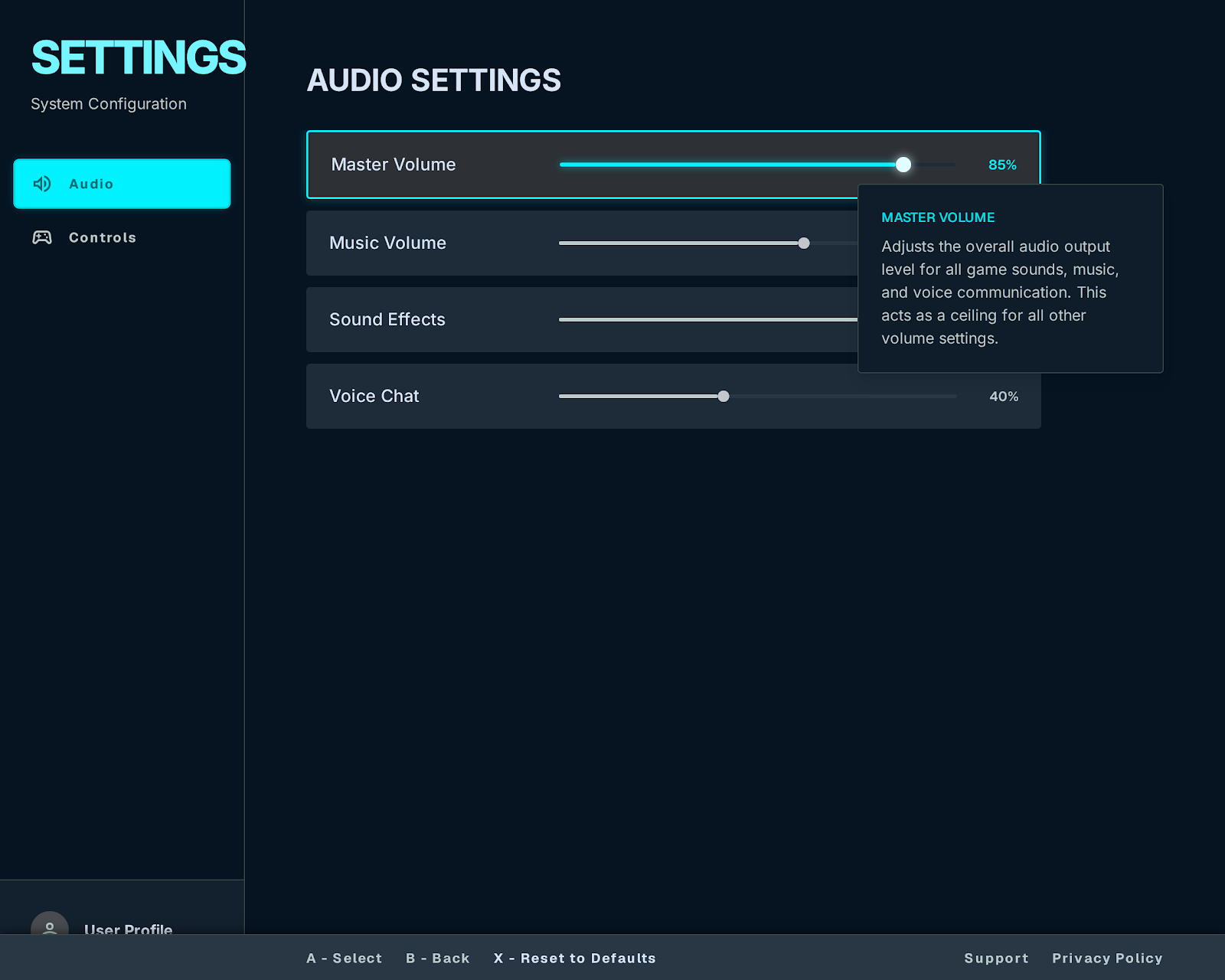
Design a game menu screen for audio and control setup. It should let players change master, music, effects, and voice volumes, then remap gamepad buttons without leaving the menu.
Treat this as a controller-first screen. Focus movement, selection, and back actions need to feel predictable with a D-pad or analog stick, and the current target should be easy to track as the player moves through sliders and binding rows.
The remap flow should handle the moment a player picks an action, presses a new button, and confirms the change. Show how conflicts are surfaced when a button is already assigned, and what happens when the player wants to restore defaults.
Audio controls and input remapping live in the same configuration space, so the layout should make the two sections feel distinct but related. The screen needs to stay readable while the player is making changes, with clear feedback for volume level changes and binding updates.
What to deliver
- Design the full configuration screen with audio and control sections
- Create a controller-friendly focus order for sliders, bindings, and actions
- Show the button remap interaction from select action to confirm new binding
- Design conflict handling for duplicate or invalid button assignments
- Include a reset-to-defaults action for both audio values and control bindings
Keep remapping one step away from accidental input: after a binding is selected, make the next pressed button the new assignment only if it is not a forbidden system action, and show the old mapping until the change is confirmed.