Gallery
See what others have created
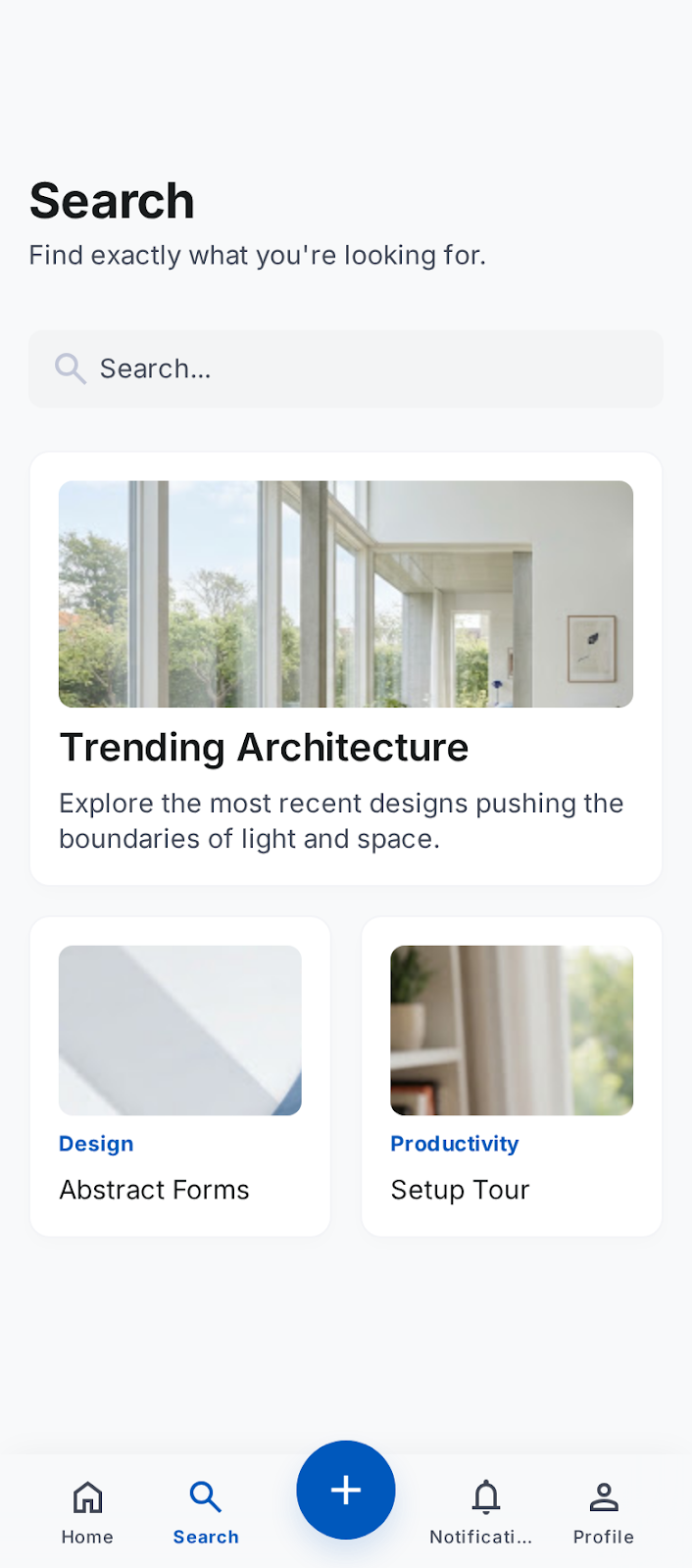
sheeshable
@sheeshable
Tab Bar with Center Action
Design the bottom tab bar for a mobile app with four destinations and a raised center action button. The center control is the primary create action, not another destination, so it should feel more prominent than the tabs around it without breaking the navigation pattern.
This lives at the bottom edge of the screen, above the home indicator or gesture area. The four tabs need clear active/inactive states, labels that stay readable, and spacing that leaves the center action easy to tap without crowding the neighboring items.
The challenge is balancing navigation and creation in one bar. The center button should read as special at a glance, but the tab bar still needs to feel stable and familiar when the user switches between destinations.
Think through how the bar behaves with long labels, active state changes, and devices with safe-area insets. The layout should feel native to mobile, with the center action integrated into the bar rather than floating awkwardly above it.
What to deliver
- Design the default tab bar with four destinations and the center create button.
- Show active and inactive states for all tabs and the center action.
- Define spacing, safe-area handling, and tap targets for the full bar.
- Include label handling for the center-adjacent tabs on smaller screens.
Give the center action a stronger shape treatment than the tabs, but keep its tap target aligned to the same bottom navigation rhythm so it feels built in, not pasted on.