Gallery
See what others have created
sheeshable
@sheeshable
Navigation Arrow Overlay
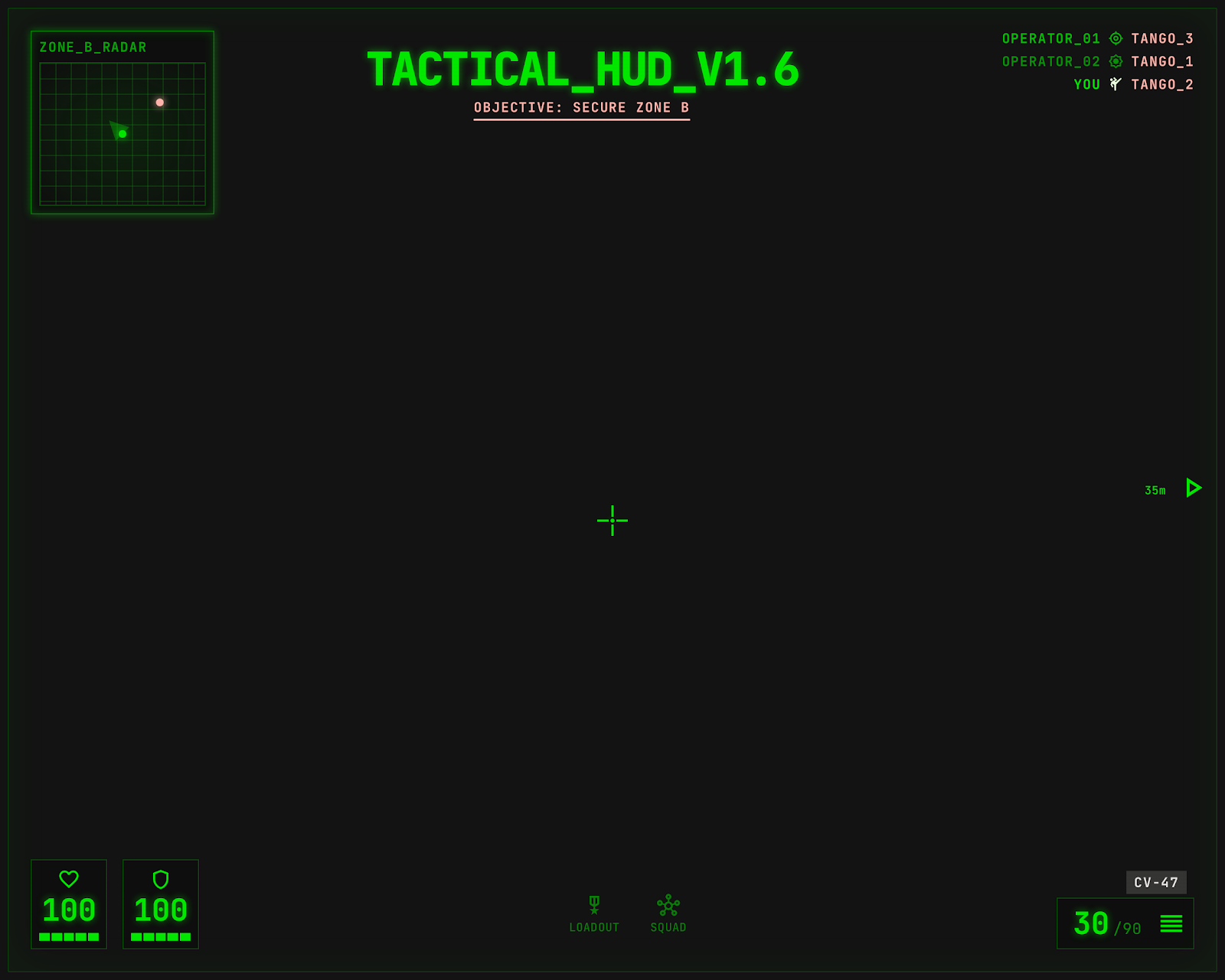
Design a real-time navigation arrow overlay for a game HUD. It should guide the player toward the next objective while the camera moves, combat happens, and the scene changes underneath it.
The overlay may be a single arrow or a short path cue, but it needs to stay readable without taking over the screen. Treat it like a diegetic helper: always aware of where the objective is, never feeling pasted on.
The challenge is motion and context. The indicator has to work when the target is off-screen, behind the player, above or below them, or partially blocked by level geometry. It should still point cleanly and update instantly as the player turns.
Design the states that make the guidance trustworthy: default, turning, target near, target off-screen, and target reached or no longer relevant. The player should understand where to go next at a glance, even in a busy HUD.
Make the visual language fit a game HUD: bold enough to survive effects and backgrounds, but light enough not to fight with combat UI, minimap, or objective text.
What to deliver
- Design the default on-screen arrow state.
- Design the off-screen target indicator state.
- Design the close-to-target or arrival state.
- Show one version for a straight arrow and one for a curved path cue, if needed.
- Place the overlay in a busy in-game HUD composition.
Use both direction and distance cues only when they help; if the arrow already points clearly, avoid extra clutter unless the objective is far or hidden.