Gallery
See what others have created
sheeshable
@sheeshable
Tabbed Content Screen
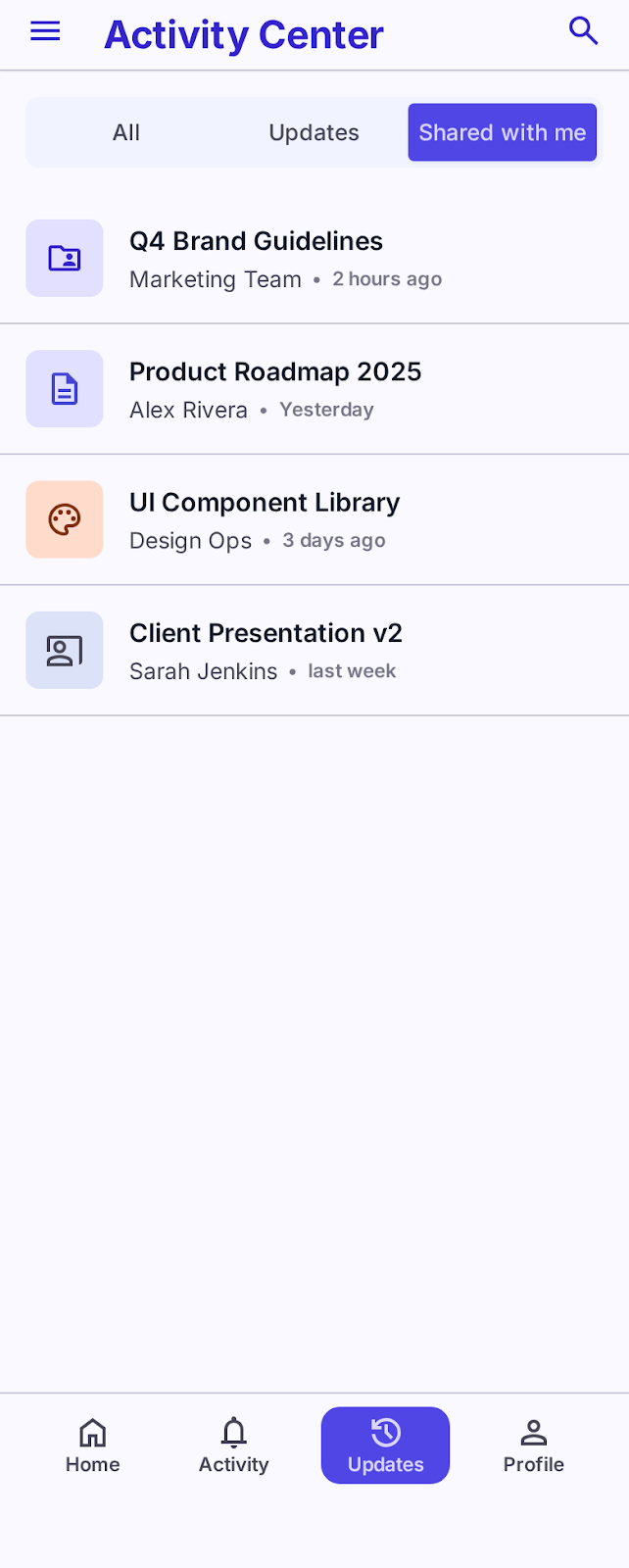
Design a mobile screen built around a top tab bar or segmented control that swaps between multiple content lists. The tabs sit above the content area and make the current section obvious without using a full page transition.
Each tab represents a different slice of the same app content, so the layout should keep the structure consistent while the items underneath can change in density, tone, or count. The challenge is to make the switch feel immediate and easy to track on a small screen.
Focus on how the tab bar behaves when labels are short or long, when there are few tabs versus many, and how the active state stays visible while the user scrolls the list. The content below should still feel anchored to the selected tab.
This is a mobile screen, so the interaction has to work with thumb reach and vertical scrolling. Show how the tab control, list spacing, and content hierarchy work together without crowding the top of the page.
What to deliver
- Design the default screen with the tab bar and the first content list.
- Show at least two inactive tabs with different label lengths.
- Define the active tab state and how it changes when a tab is selected.
- Lay out one representative content list under the tabs.
- Include the scrolled state where the tab bar still reads clearly at the top.
Keep the active tab visible during scroll, and make the selected state distinct enough that the list can change without the user losing context.