Gallery
See what others have created
placidflogging
@placidflogging
Swipe Between Pages
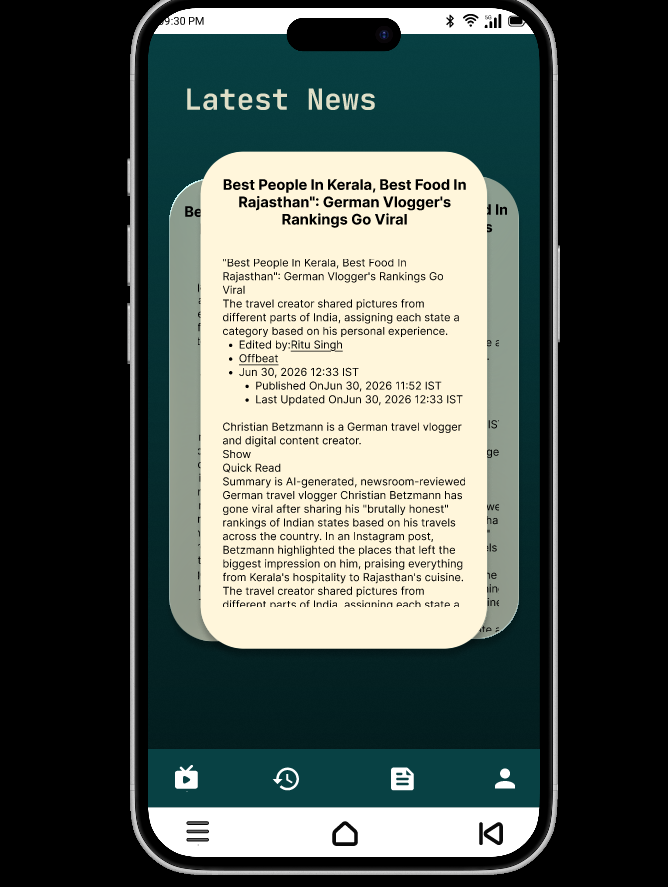
Design the single-page reading surface for a mobile app that lets people move between pages by swiping left or right. The current page should feel like the main focus, with the next and previous pages hinted just enough to signal motion.
This is not a tab bar or a carousel of cards. It’s a page-by-page experience, so the layout should support full-screen content, clear page boundaries, and a sense of position in the sequence.
Show how the interface communicates where the user is in the set of pages without stealing attention from the page itself. A small page indicator, subtle progress cue, or page count can work if it stays quiet.
Think about the first swipe: the screen should teach the gesture through visual affordance, spacing, or motion. The interaction should feel deliberate and easy to continue in either direction.
What to deliver
- Design the default page view.
- Design the left and right swipe transition states.
- Add a page position indicator.
- Show the first and last page behavior.
- Include a brief hint for swipe navigation.
Use a slight peek of the adjacent page or a low-key page counter to make the swipe direction obvious without adding extra controls.