Gallery
See what others have created
untested_diver
@untested_diver
Newsletter Section
Design a newsletter signup section that can sit inside a homepage, blog article, or footer. It needs one clear job: get the visitor to subscribe without making them think about it. Build the section around a short headline, one sentence of supporting copy, an email input, and a single subscribe button.
Treat the copy as part of the UI. The headline should say what the newsletter is about, not just that it exists. The supporting line should set expectations: what kind of content they’ll get and how often. Add one small trust cue near the form, such as “No spam,” “Weekly updates,” or a subscriber count, if it helps the decision.
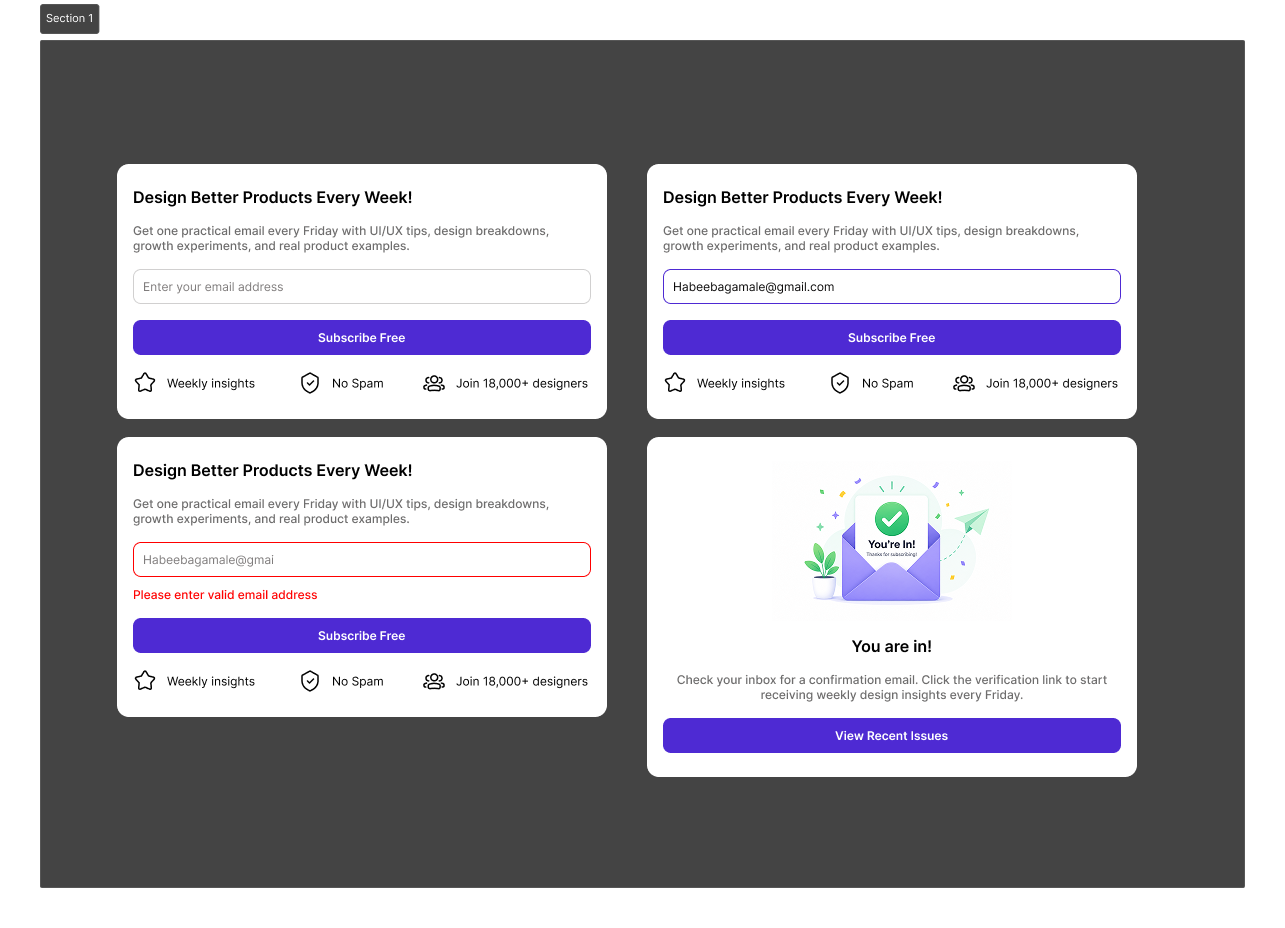
Design the form states too. Show idle, focused, error, and success states. Error text should sit close to the field and explain the fix in plain language. After submission, replace the form with a confirmation message that tells the user what happens next, rather than leaving them guessing.
Keep the section compact and readable. The button should be the strongest visual element after the headline, and the field should be easy to spot on mobile. If you include hover or focus treatment, make sure it improves clarity rather than adding decoration.
What to deliver
- Design a newsletter sign-up block with headline, supporting copy, email field, and subscribe button.
- Show the default, focused, error, and success states for the form.
- Include a brief trust cue near the form, such as subscriber count, privacy note, or content frequency.
- Define button, field, and link hover/focus states.
- Make the section work as a standalone module and as part of a larger page.
Incorporate an eye-catching headline and supportive imagery or icons to boost subscriber interest and conversion rates.