Gallery
See what others have created
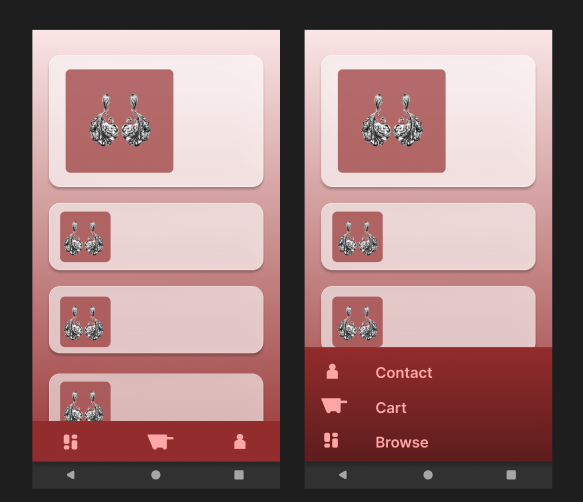
placidflogging
@placidflogging
Bottom Sheet Navigation Menu
Design the default state of a mobile navigation menu that lives in a bottom sheet. It replaces a fixed tab bar with a draggable panel of large destination rows.
The sheet should feel like a primary nav surface, not a temporary picker. It needs enough visual weight to hold key destinations while still leaving the current screen visible behind it.
Focus on how the sheet opens, how far it can be dragged, and how the destination list is laid out for fast thumb use. The active destination should be easy to spot without taking over the list.
This is interesting because the navigation is both persistent and movable. The design has to make the sheet feel intentional at rest, but still obvious that it can be expanded, collapsed, or dismissed.
What to deliver
- Design the bottom sheet at its default peek height with 3–6 destination rows.
- Show the active destination state inside the list.
- Include the grab handle and any header affordance needed to explain the sheet.
- Place the current screen context behind the sheet so the nav feels anchored to the app.
- Define the expanded state enough to show how far the sheet can travel.
Use the sheet handle and peek height to communicate that this is a draggable nav surface, not a modal blocking the app.