Gallery
See what others have created
sheeshable
@sheeshable
Notification with Action Buttons
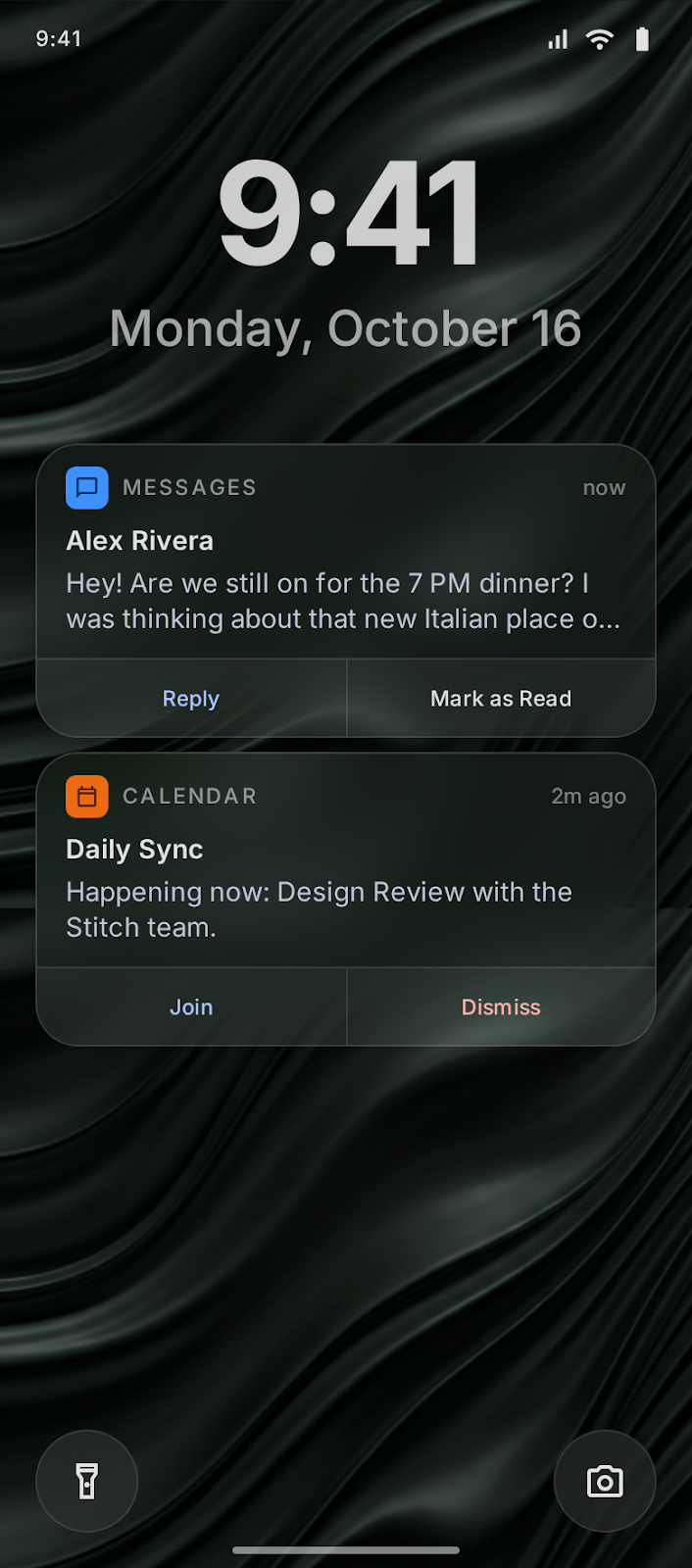
Design a mobile push notification that appears on the lock screen or home screen with action buttons built into the card. It should feel like a real system notification, not an app message or a custom component.
The notification needs to communicate the sender, message preview, and the available actions at a glance. The actions should be obvious, tappable, and fit naturally inside the notification chrome.
Treat the action row as part of the notification hierarchy, not a separate toolbar. The layout has to work in a compact system surface where space is tight and the user may be glancing quickly.
Think about how the card behaves when the content is short versus long, and how the actions stay readable without crowding the message. The design should still feel native on a lock screen among other notifications.
What to deliver
- Design the default notification card with sender, preview, and action buttons.
- Show at least two action buttons with distinct labels and tap targets.
- Define spacing, hierarchy, and truncation for short and long message content.
- Include the lock-screen presentation with system-style chrome and status context.
Use clear visual separation between the message body and the action row so the buttons read as immediate next steps, not extra text.