Gallery
See what others have created
placidflogging
@placidflogging
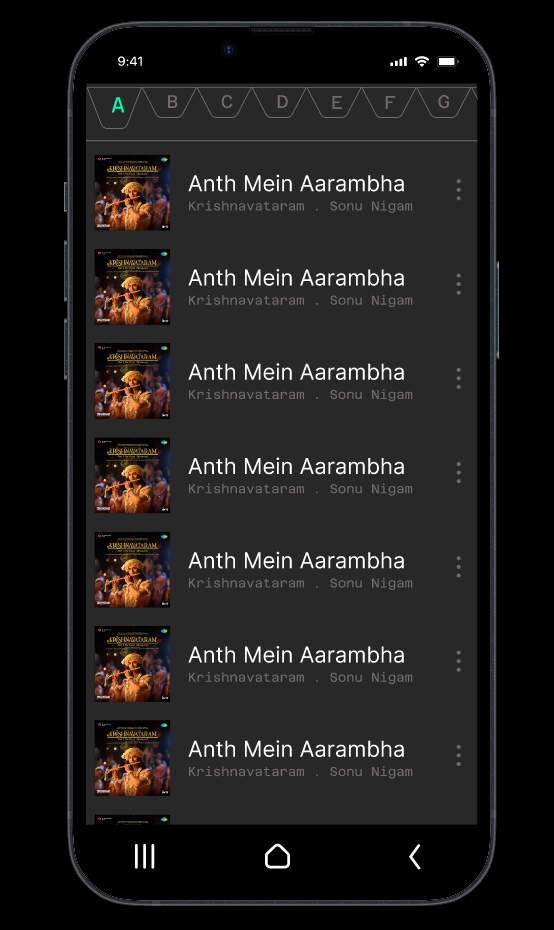
Music Library Screen
Design a mobile music library screen that lists songs or albums in alphabetical order. The screen should feel like a fast browse surface, not a playlist or player.
Group the list by letter sections so people can jump through a large collection quickly. Each row needs enough information to identify the item and enough hierarchy to keep the list scannable.
Use play icons as part of the row treatment, so every item reads as playable without making the screen feel like a giant control panel. The list should still feel calm and dense.
Think about how the alphabet structure and playback affordance work together on a small screen. The challenge is balancing quick navigation, item recognition, and tap targets in a long scrolling list.
What to deliver
- Design the full library list in its default state
- Show at least three alphabet sections with multiple items each
- Include the play icon treatment inside each row
- Design a compact way to indicate the current letter section
- Show one selected or active row state
Make the section headers sticky or highly distinct so users always know where they are in the alphabet while scrolling.