Gallery
See what others have created
azer
@azer
File management
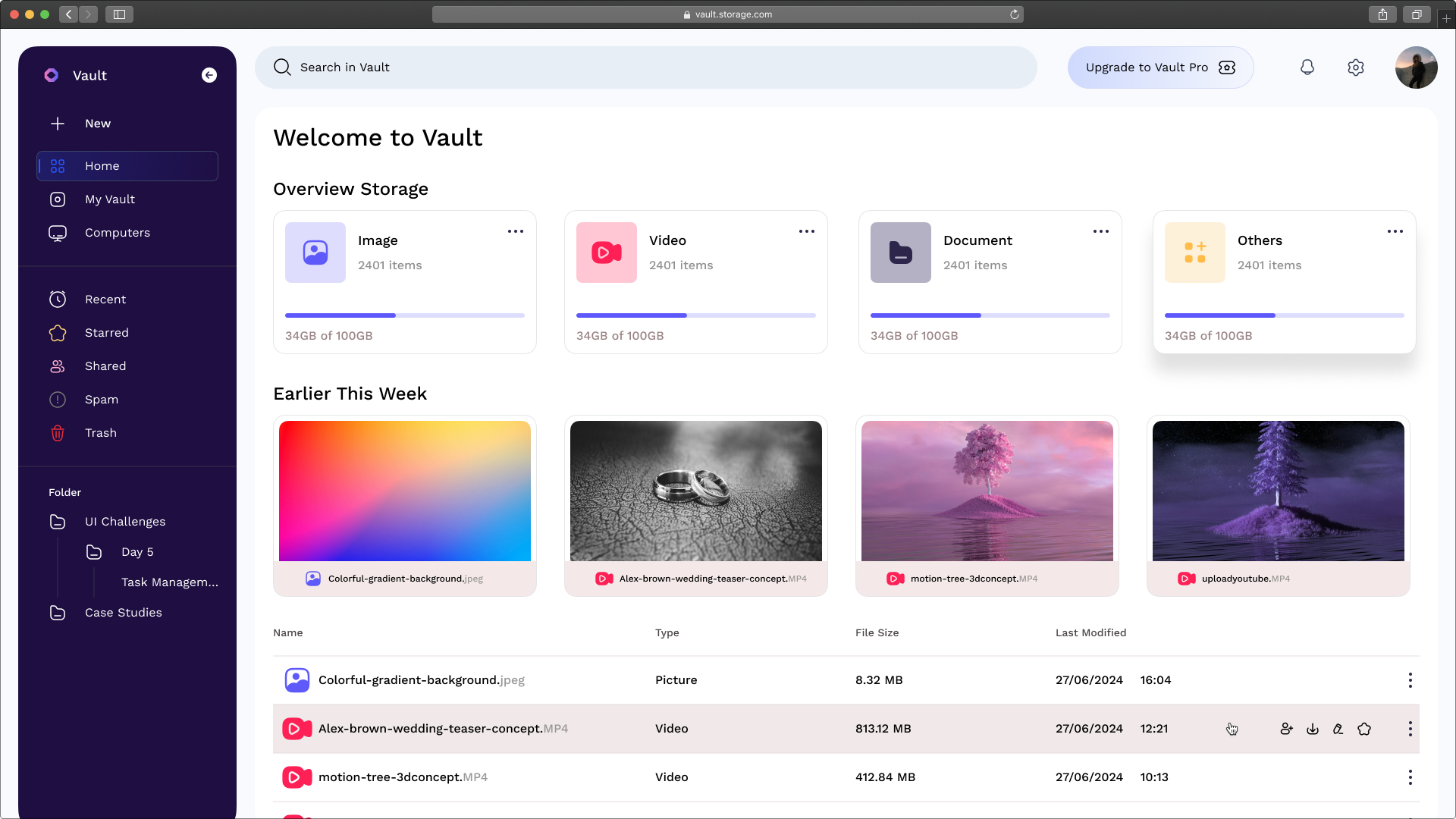
Design a file management workspace for a web app. The screen should show a folder tree or breadcrumb path, a main file list, and a clear upload entry point. Make it obvious whether the user is browsing a folder, selecting files, or reviewing a single item.
The file list should support common actions: upload, download, rename, move, delete, and share if relevant. Use row actions, a contextual menu, and drag-and-drop where it makes sense. Keep selection state visible, and make bulk actions easy to find when multiple files are selected.
Include a preview panel or drawer for the selected file with name, type, size, modified date, owner, and any other useful metadata. If the file can be previewed, show that content directly; if not, show a useful fallback with the file icon and details.
Show the important system states: empty folder, uploading, upload failed, permission denied, and loading. Each state should tell the user what happened and what to do next. The design should feel like a working file tool, not a generic content grid.
What to deliver
- Design a file browser with folders, file list, and breadcrumb navigation.
- Include upload, download, rename, move, and delete actions.
- Show file preview and metadata in a side panel or detail drawer.
- Add drag-and-drop upload and drag-to-move interactions.
- Provide empty, loading, and error states for the main file area.
Imagine you're designing for the digital equivalent of a tidy, yet spacious filing cabinet. Aesthetics matter, but never at the expense of findability and order!