Gallery
See what others have created
loudpiggyback
@loudpiggyback
Action sheets
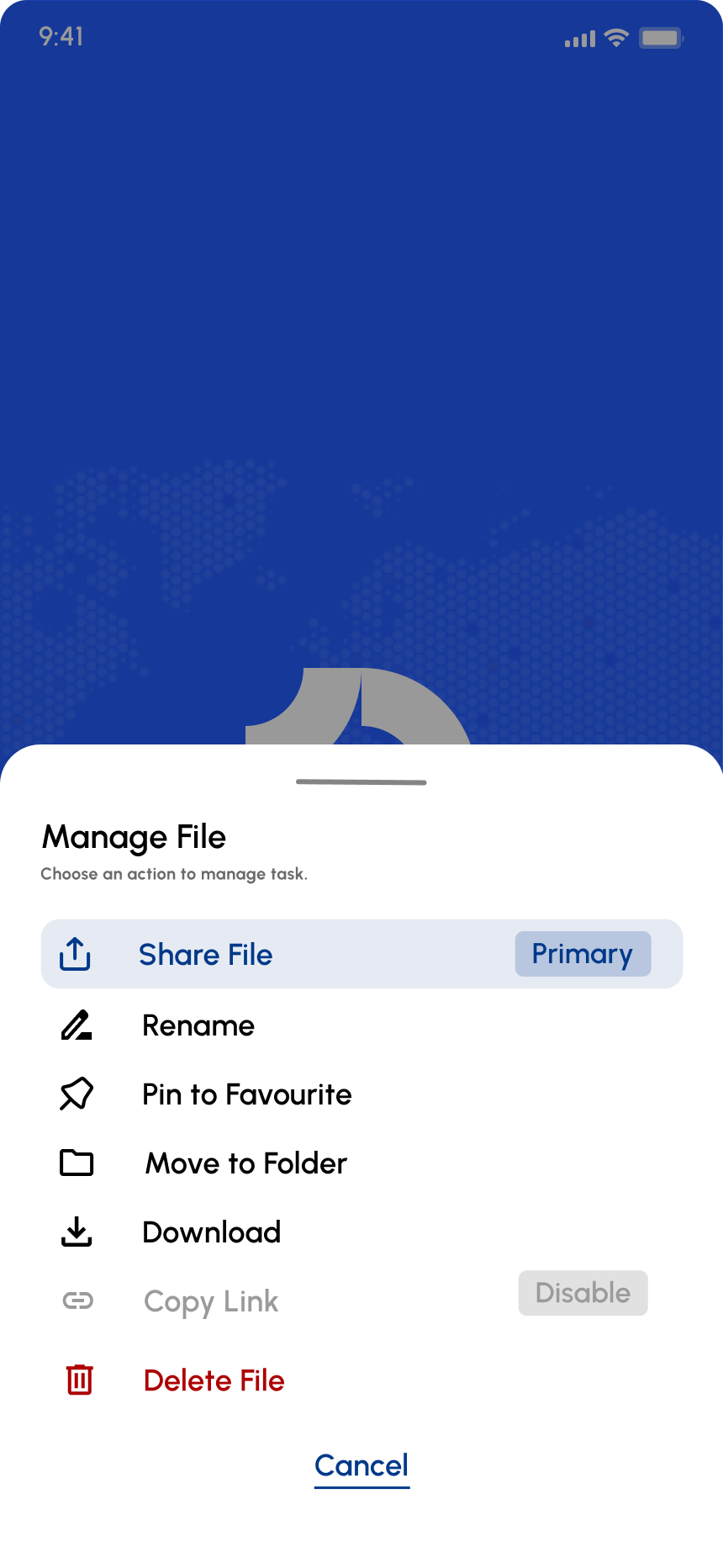
Design a mobile action sheet that slides up from the bottom of the screen and presents context-specific actions for the current task. Treat it as a focused decision surface, not a generic menu: the user should be able to scan the options, understand the most important choice, and dismiss the sheet without friction.
Include a clear structure: optional title or context label, a list of 4–8 actions, and a separate cancel control. Use visual hierarchy to distinguish primary, secondary, and destructive actions. If icons are used, they should support recognition, not clutter the list. Keep labels short and action-oriented.
Show the sheet in its default state plus pressed, disabled, and long-label states. The bottom sheet should feel anchored to the screen, with a backdrop that makes dismissal obvious. If one action is risky or irreversible, separate it from the rest so it reads as a different class of choice.
What to deliver
- Design the sheet container, header, and option list
- Include 4–8 actions with one destructive option
- Add a clear cancel/dismiss control and backdrop behavior
- Show pressed, disabled, and overflow states for actions
- Specify spacing, icon use, and text hierarchy
Fashion your action sheet with animation cues to hint at its sliding mechanism, making the interaction intuitive and delightful in the mockup.