Gallery
See what others have created
sensorypalate
@sensorypalate
Comment section
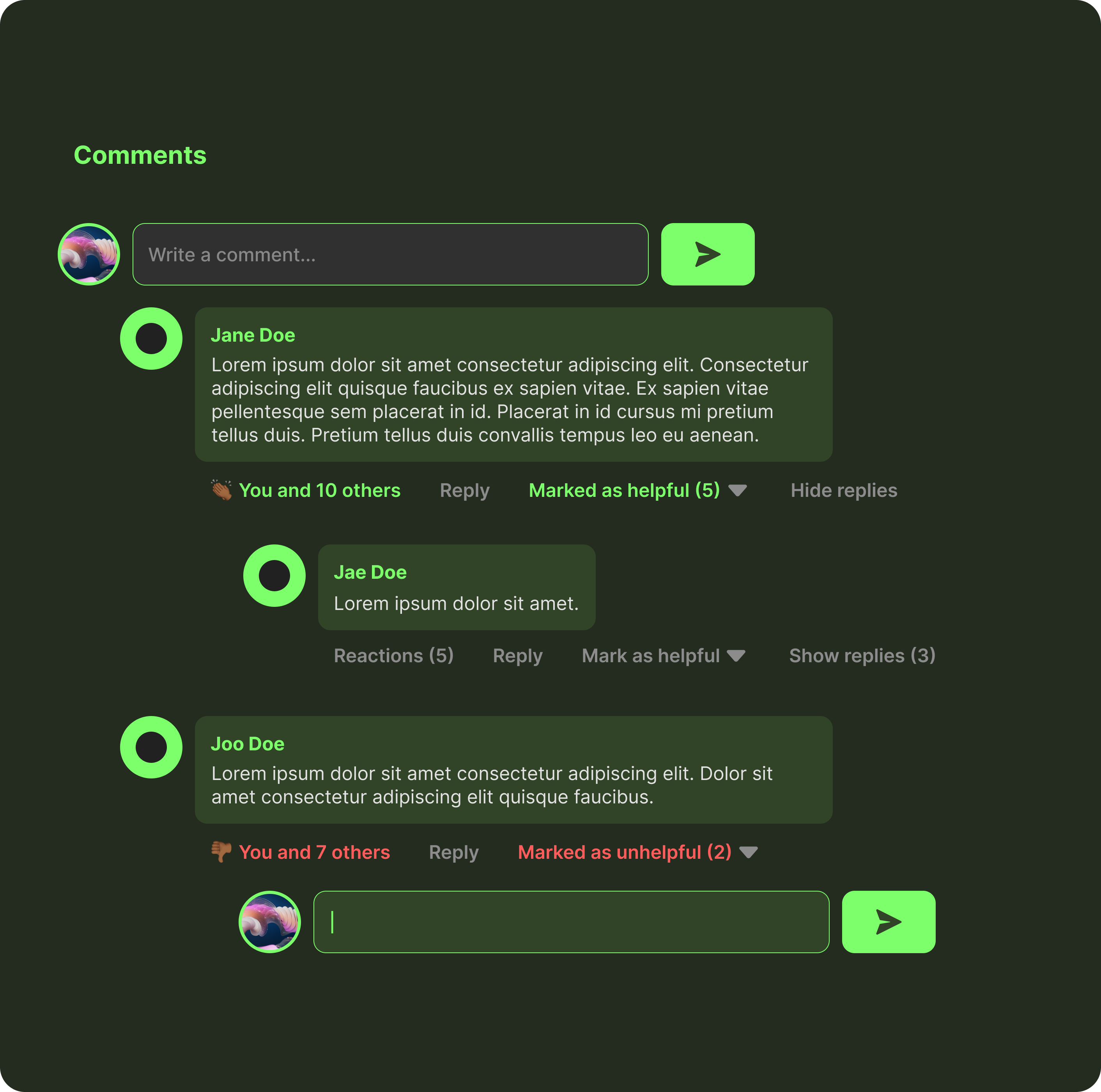
Design a comment section for an article, product page, or post. The section should support reading, writing, voting, and replying without feeling crowded. Treat it as a real production component, not a generic chat box.
Start with the composer: show the user avatar, a multiline field with clear placeholder text, and a single primary submit action. Make the affordance for adding a comment obvious, and show what happens when the field is empty, focused, submitting, or disabled.
For the thread, show top-level comments with author name, timestamp, body text, and a compact action row. Add upvote/downvote or like controls, a reply action, and a way to collapse long threads. Nested replies should be visually grouped, but still readable on smaller screens.
Include useful section-level controls such as sort by newest/top, counts, and a loading or empty state. Highlight new, pinned, or highly active comments without breaking scanability. The layout should stay legible with long names, long text, and keyboard-only navigation.
What to deliver
- Design the comment composer with avatar, multiline input, and primary post action
- Show top-level comments with author, timestamp, body, and action row
- Design threaded replies with clear nesting and reply affordance
- Include voting, sort, and collapse controls for discussion management
- Cover empty, loading, and disabled states for the section
Sprinkle in subtle animations when users post or upvote a comment to enhance the interactive feel of the section without compromising load times or overwhelming the design.