Gallery
See what others have created
sheeshable
@sheeshable
Date & Time picker
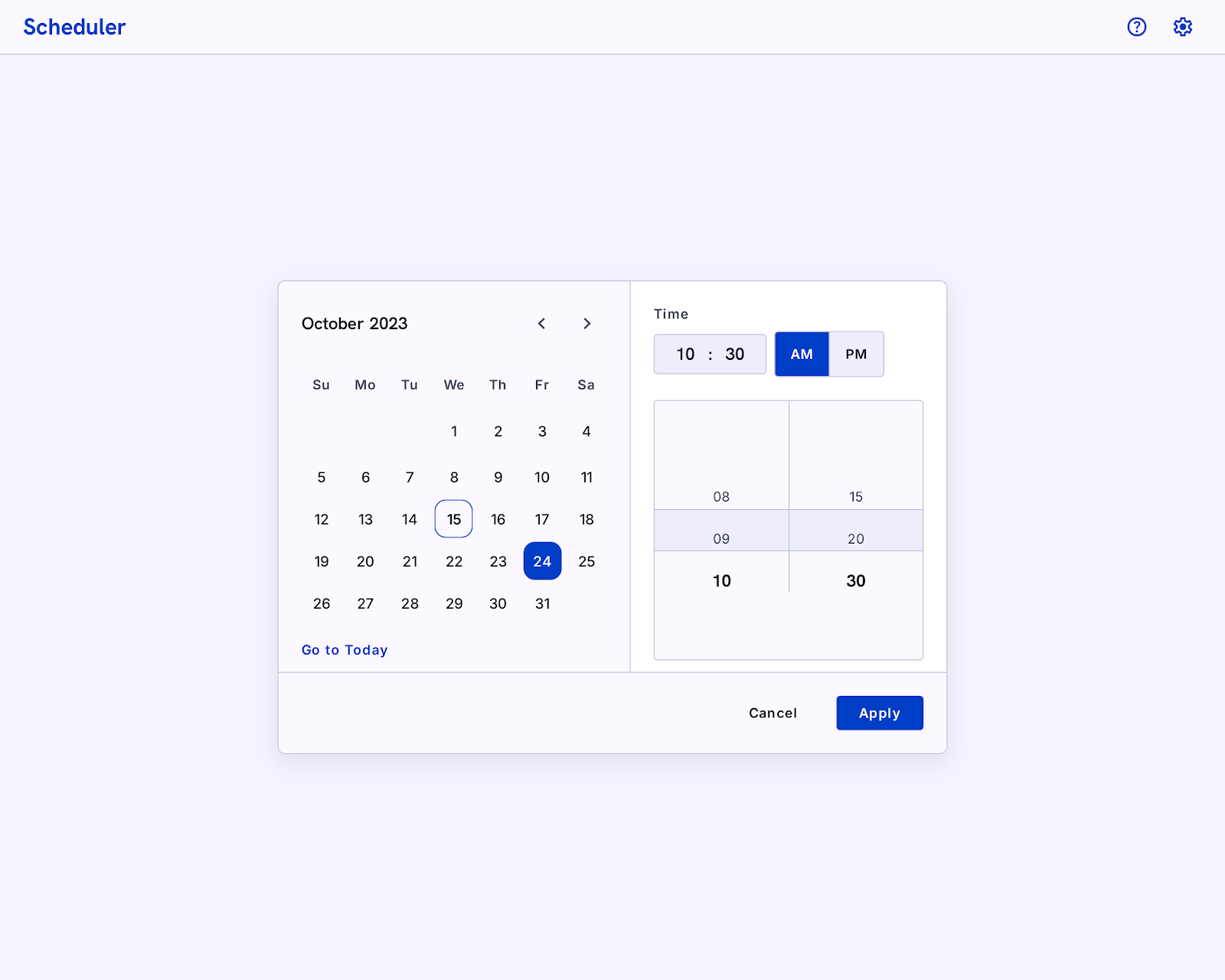
Design a date and time picker for scheduling an event, booking a slot, or setting a deadline. The component should make the current selection obvious at every step: show the chosen date, chosen time, and any timezone or locale formatting in the trigger and again inside the picker.
Break the interaction into clear parts. Use a calendar surface for date selection and a separate time surface for hour/minute entry, wheel, or clock-style selection. If the control supports quick picks, make them visible as presets such as "Today," "Tomorrow morning," or recent times. Keep the active value anchored while the user edits the other half of the field.
Account for real scheduling constraints. Show disabled past dates, blocked time ranges, and validation when the chosen time falls outside allowed hours. If the user changes the date after picking a time, preserve the time when possible and explain any conflict instead of resetting silently.
Design for keyboard, pointer, and touch input. Focus states need to be visible, month changes should be easy to scan, and the confirm action should be separate from cancel or clear. The component should feel precise, fast, and hard to misread.
What to deliver
- Design the date picker panel with month navigation and a clear selected-day state.
- Design the time picker with hour/minute input or wheel and AM/PM handling.
- Show the combined date-time summary in the trigger and in the picker header.
- Include preset shortcuts for common times or dates when relevant.
- Ship validation, disabled, and out-of-range states.
Incorporate smart defaults based on user's locale or most common choices to enhance user experience.