Gallery
See what others have created
sheeshable
@sheeshable
Smart Aquarium Control Panel
Design a control panel for a smart aquarium owner who needs to monitor tank health and make quick adjustments without digging through settings. The main view should center on one aquarium and make the current condition obvious: temperature, pH, filtration, lighting, and feeding status should all be visible immediately.
Treat the screen as a live operations panel, not a settings form. Surface the most important readings first, then give the user fast controls for feeding now, adjusting light cycles, and switching filtration or maintenance modes. Use charts only where they help show recent change or drift; the interface should still read clearly when the user glances at it for a few seconds.
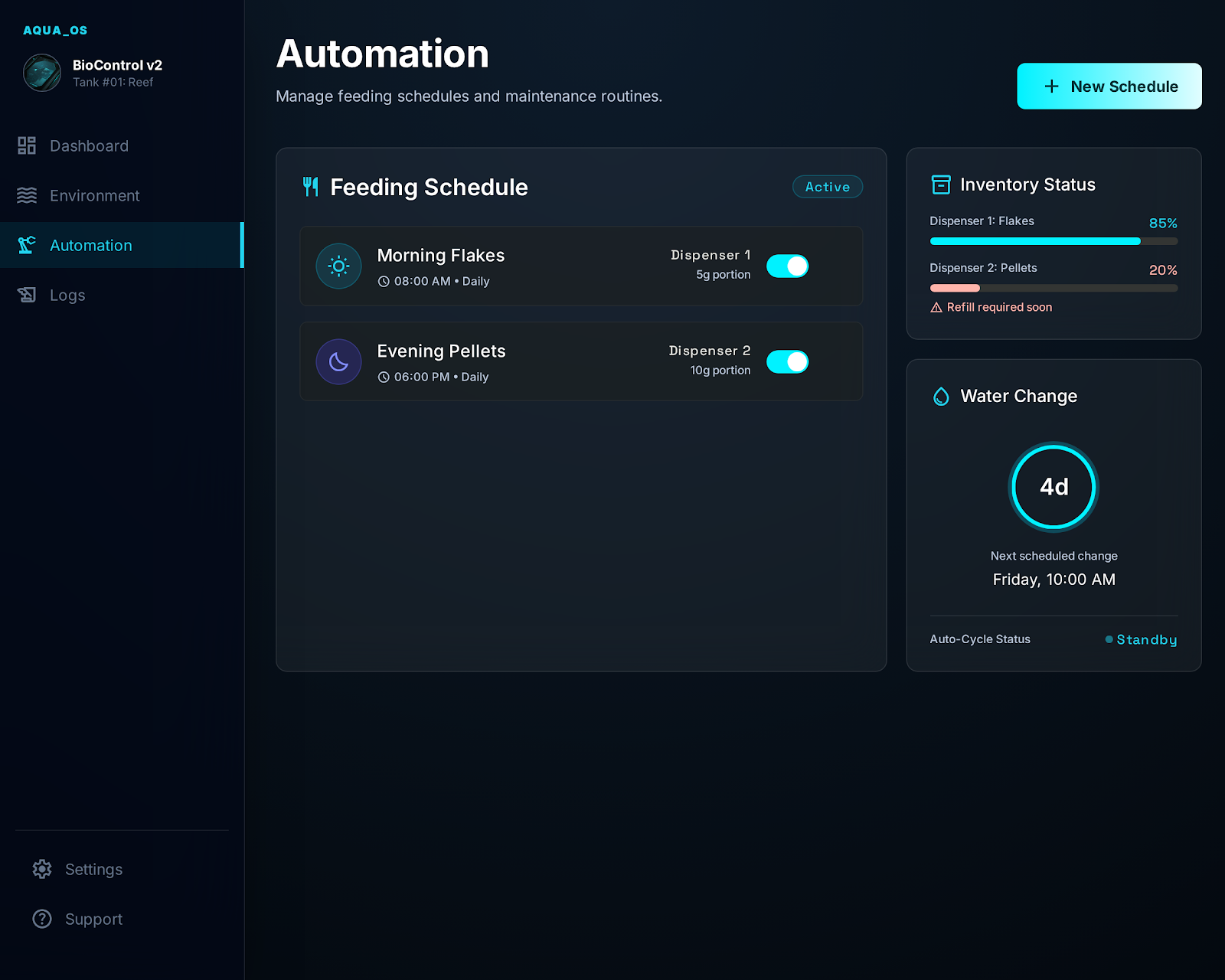
Include states for normal operation, warning, and urgent alert. If a sensor is offline, a pump is failing, or water conditions move out of range, the panel should explain what changed and what action is available. Scheduled automation should be visible alongside manual controls so the user can see what is running now and what will happen next.
What to deliver
- Design a dashboard for one aquarium with current tank status and key system controls.
- Show live readings for temperature, pH, filtration, lighting, and feeding.
- Add quick actions for feeding, light changes, and manual system overrides.
- Include trend views or mini charts for at least the most important sensors.
- Design alert states for unsafe readings, offline devices, and missed maintenance.
Incorporate elements of gamification to engage users, such as rewarding them with virtual badges for maintaining optimal tank conditions.