Gallery
See what others have created
sathu
@sathu
Solutions & Use Cases Page
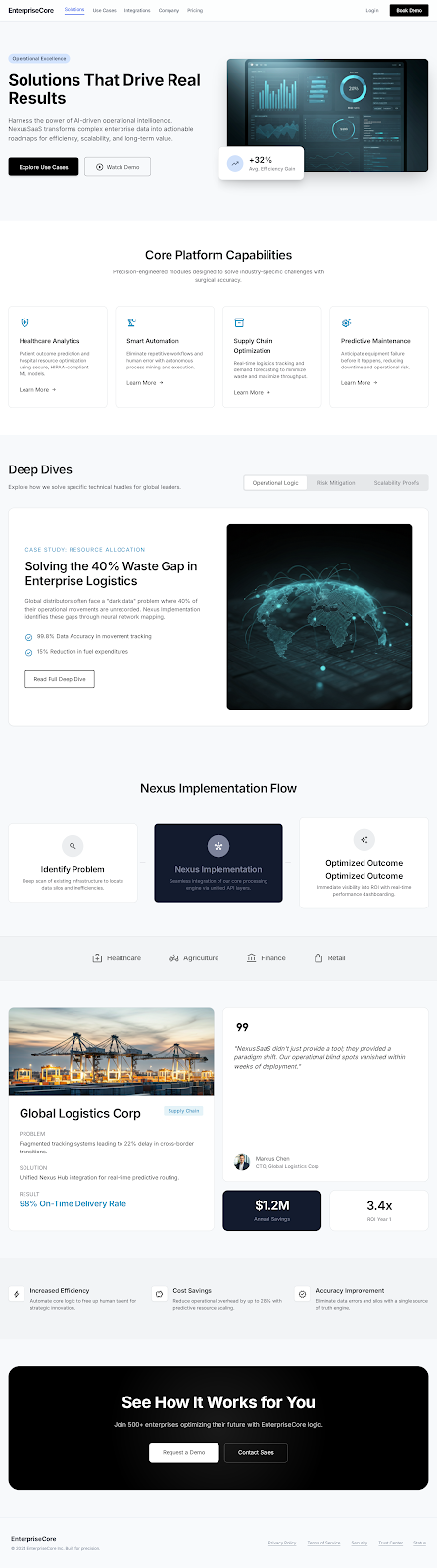
Design a Solutions & Use Cases page that helps a visitor quickly answer one question: does this product fit my situation? Start with a direct hero that names the product value, who it is for, and one clear next step. Keep the intro tight; the page should feel like a guided selection tool, not a feature dump.
Organize the body around real scenarios. Use a small set of use case sections or tabs, each with a clear label, a short problem statement, the relevant solution, and the outcome in plain language. If you use cards, accordions, or filters, they should reduce scanning time, not hide the content. Each scenario should stand on its own without requiring deep reading.
Include proof where it matters. Add customer logos, short quotes, or one-line case study results near the relevant use cases so the page reads as evidence, not decoration. Keep the visual treatment consistent across sections, and make sure the primary CTA stays easy to find at the top and near the bottom.
What to deliver
- Design a page hero with a clear promise, short intro, and one primary CTA.
- Group use cases into 3–6 scannable sections with distinct problem labels.
- Show each use case with problem, solution, and outcome in a consistent card layout.
- Add a proof strip with customer logos, metrics, or short testimonials.
- Include a way to switch between industries, roles, or scenarios without losing context.
Incorporate visual cues like arrows or progress indicators to subtly guide users through the solutions.