Gallery
See what others have created
hatefulskirmish
@hatefulskirmish
Uploading & Downloading
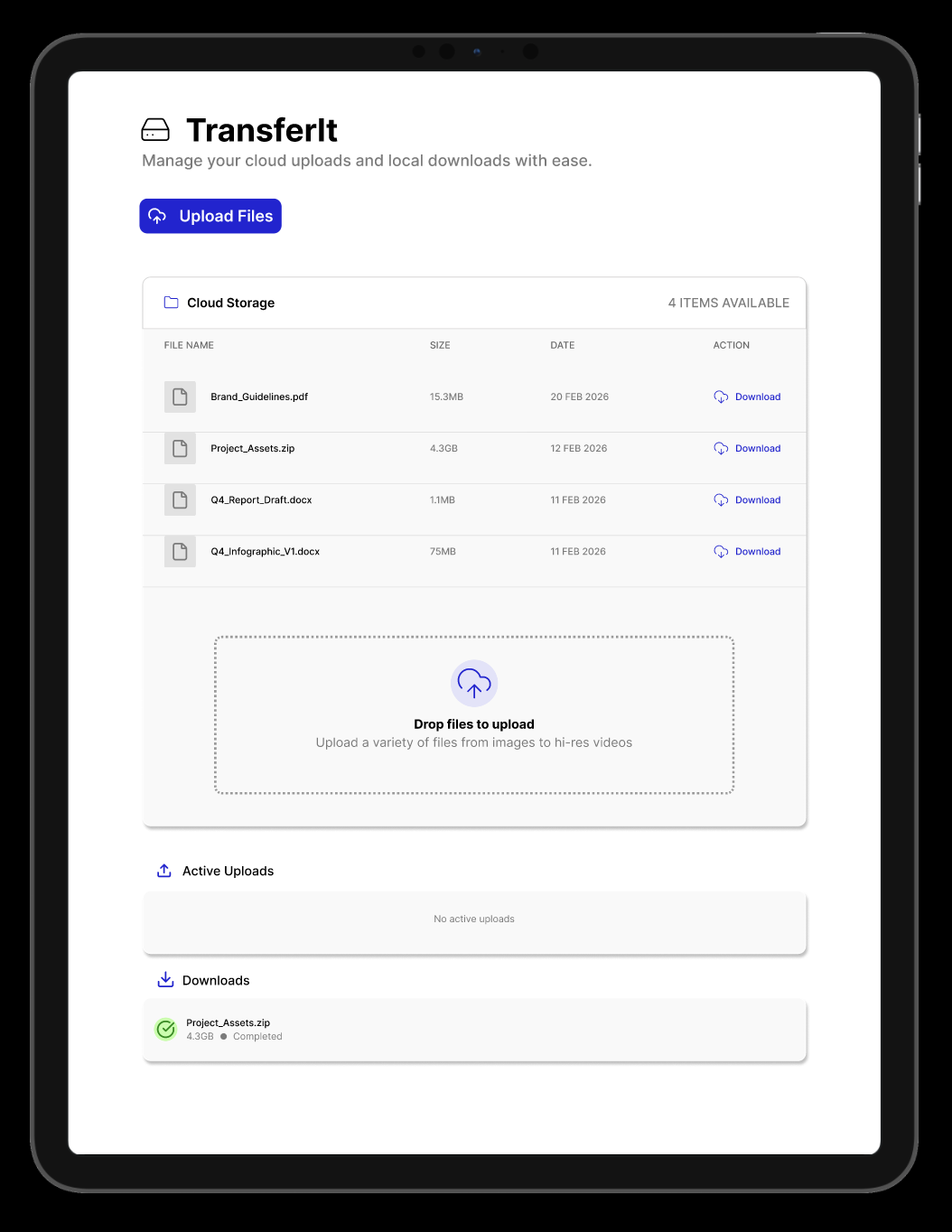
Design the upload and download flow as a set of concrete product states, not a single polished screen. Start with the entry points: file picker, drag-and-drop zone, or download trigger. The user should know what is selected, where it is going, and what will happen next before they commit.
Show the active transfer state in detail. For uploads, include queued items, current item progress, total progress, file name, size, and transfer speed. For downloads, show preparation, packaging if needed, and the moment the file becomes available. Keep the main status readable without opening a details panel.
Cover the controls people actually need mid-transfer: pause, resume, cancel, retry, and view in folder or open file when complete. If a transfer fails, show which file failed, why it failed in plain language, and what can be done without losing the rest of the batch.
Finish with the end states: success, partial success, and empty state when there is nothing to transfer. The design should make the current state obvious, keep the next step close, and handle interruptions without forcing the user to start over.
What to deliver
- Design file selection and transfer start states for upload and download.
- Show active transfer states with progress, speed, and time remaining.
- Design pause, resume, cancel, and retry controls for both flows.
- Create success, partial failure, and completed-ready states.
- Include empty, error, and permission states with clear next steps.
Use metaphors like upward arrows, clouds, or lifting animations for uploads, and downward arrows or package icons for downloads to make the process visually engaging!