Gallery
See what others have created
hatefulskirmish
@hatefulskirmish
Deleting & Deactivating Account
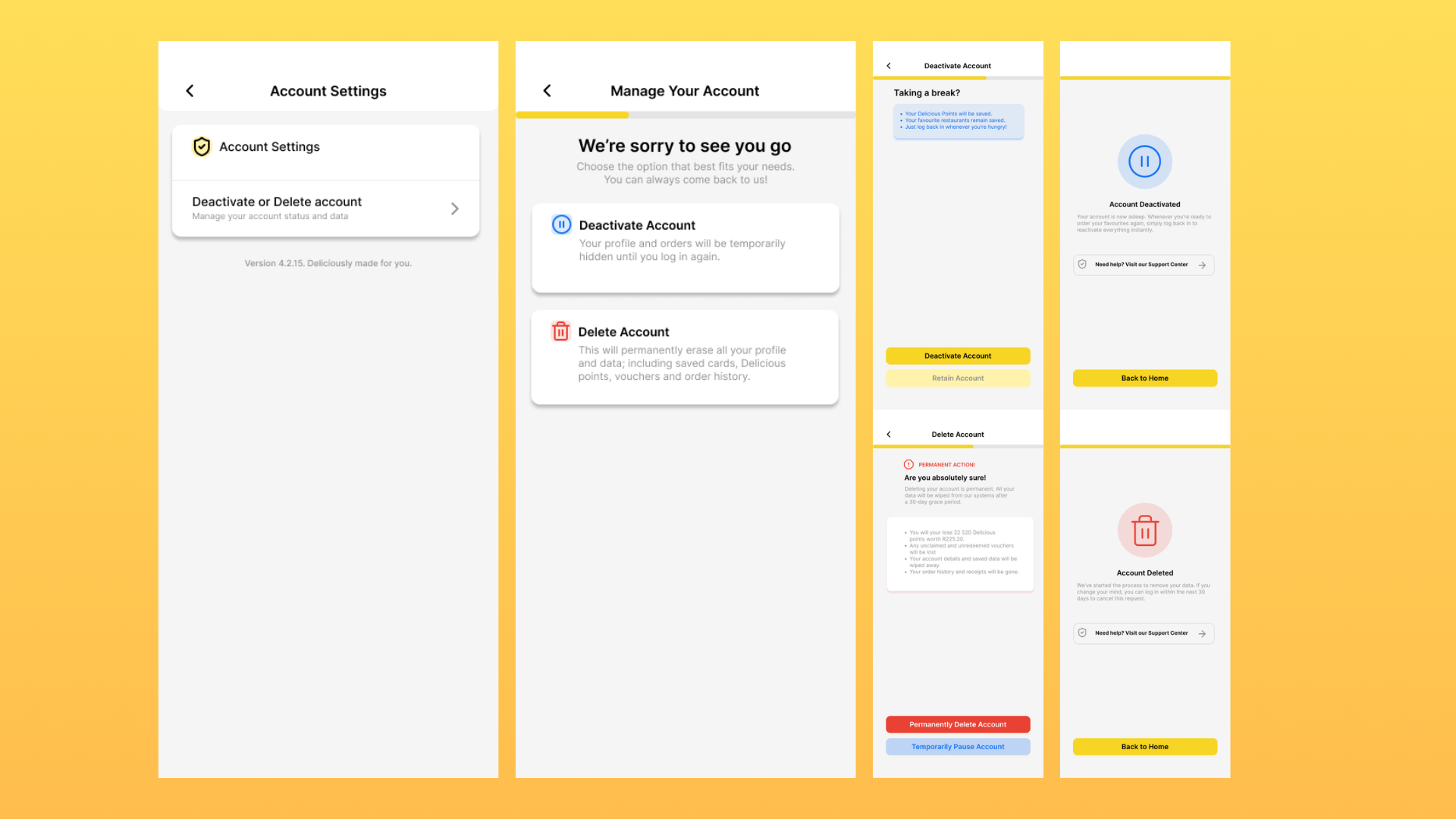
Design the account removal flow for a product that offers two different outcomes: deactivate and delete. This should start from account settings and make the two paths easy to compare before the user commits. Deactivation is temporary and reversible. Deletion is permanent and should read as a final action, not just another settings change.
Build the decision screen so the user understands what each option does, what happens to their data, and how recovery works. If you use warnings, a delay, or a typed acknowledgment for deletion, make the reason clear in the UI. Keep the destructive action visually separate from the reversible one. The user should not have to guess which path is safer or what they can undo later.
Include the confirmation state for both outcomes. After deactivation, show how to return to the account and what access is paused. After deletion, confirm that the account is gone and point to support, export, or help resources if those are still available. The flow should feel deliberate, specific, and hard to misread at each step.
What to deliver
- Design the account settings entry point for delete and deactivate.
- Design the decision step that explains the difference between permanent deletion and temporary deactivation.
- Design the confirmation and safeguard step for deletion, including required acknowledgment if used.
- Design the deactivation path with reactivation timing or instructions.
- Design the final success state for each path with a clear next step or support link.
When designing 'Delete & Deactivate Account' flows, use empathy and clarity. Remember these actions can be emotional for users and clear information can reduce anxiety. Make it a simple, respectful process.