Gallery
See what others have created
hatefulskirmish
@hatefulskirmish
Ratings and reviews
Design a ratings and reviews section for a product or service detail page. The top of the module should answer three questions fast: what is the average rating, how many people rated it, and how the scores break down across stars. Make that summary compact and scannable, with the rating value and histogram visible before the review list.
Below the summary, add controls for sorting and filtering the review feed. Common options should include most recent, highest rated, lowest rated, and most helpful. If filters are included, keep them simple: verified purchase, with photos, and rating level. The list should update in place so users keep their place on the page.
Each review card should show the reviewer name or handle, date, star rating, review text, and any attached media. Include a helpful vote action and a report/flag action. If the seller or provider replies, display the response directly under the review with a clear visual distinction.
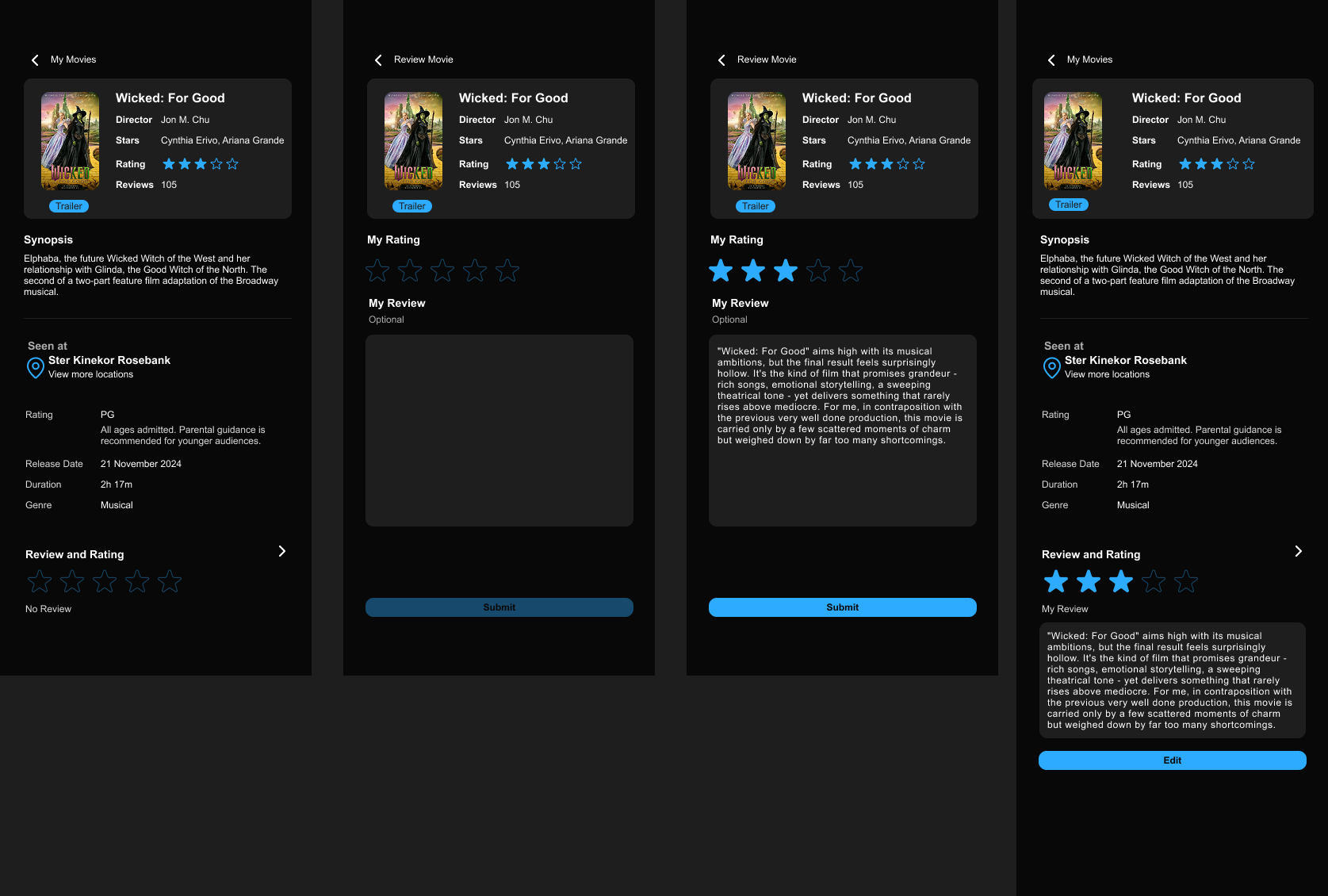
If the page allows new reviews, include a composer with star selection, text entry, and a clear submit state. Make it obvious when a review is verified, pending moderation, or rejected, and keep moderation and trust cues visible without turning the page into a warning screen.
What to deliver
- Show the average rating, rating count, and distribution at the top.
- Design a review composer with star selection, text input, and submit state.
- Include sorting and filtering controls for reviews.
- Render individual reviews with author, date, rating, and helpful action.
- Add provider replies, verification badges, and report/flag actions.
The visual display of ratings and reviews can sway user perceptions. Experiment with color psychology—softer colors often invite more comprehensive reading, while bold colors could encourage quick scanning.