Gallery
See what others have created
ten_year_oldlament
@ten_year_oldlament
Header Section
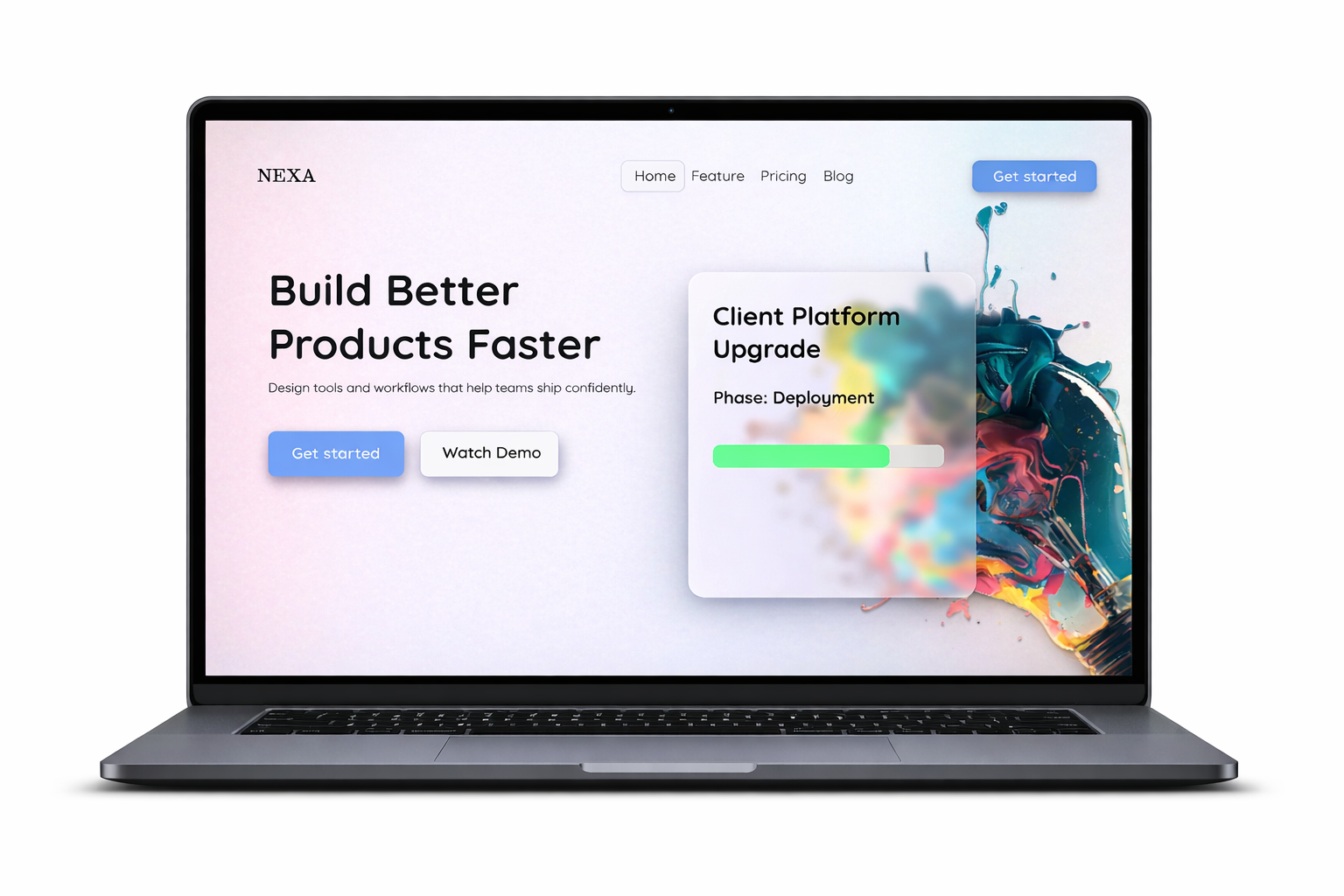
Design the top header for a website landing page. It should carry the brand, route users to the main sections, and surface one primary action without turning into a control dump. Treat it as the page’s orientation layer: the first place users look to understand where they are and what they can do next.
Build the header around a clear hierarchy: logo or wordmark, a short navigation list, and one standout CTA. If search is included, make it a deliberate choice tied to the page purpose, not a default add-on. Keep spacing tight and the visual weight balanced so the header reads cleanly at desktop size.
Show interaction states for nav links, dropdowns if used, and the main button. If the header is sticky, show how it compresses or simplifies on scroll. Include the mobile version too: brand, menu trigger, and any action that must stay visible. The header should feel calm, fast to scan, and easy to use before the user reads anything else.
What to deliver
- Design the top header row with logo, primary navigation, and one clear action.
- Place search only if it supports the page task; keep it visually secondary.
- Show hover, active, and focus states for nav items and the main action.
- Include a compact mobile version with a menu trigger and preserved brand mark.
- Define the sticky or scrolling behavior if the header changes on page scroll.
Inject a dash of creativity with a unique background, such as a video, animation, or bold imagery to make the header memorable.