Gallery
See what others have created
turningvintage
@turningvintage
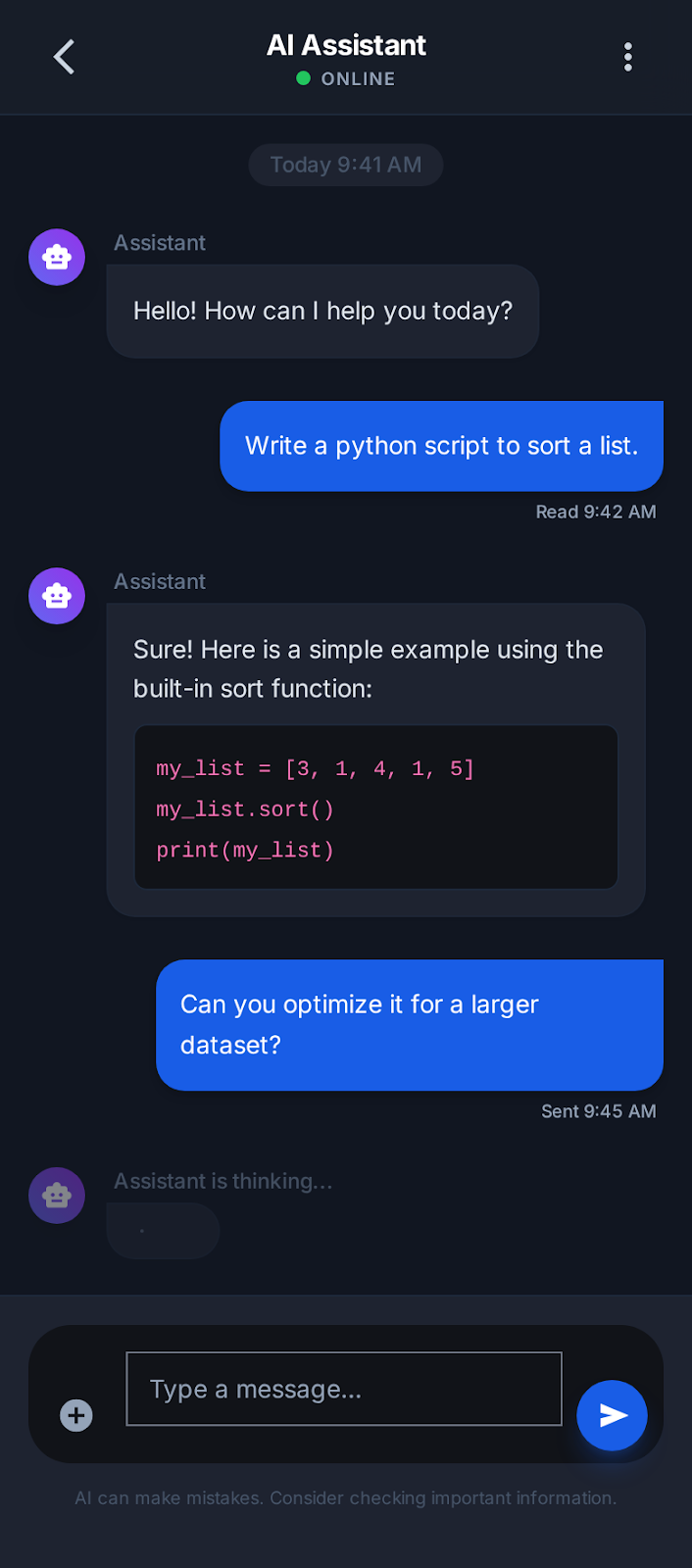
ChatGPT clone Interface
Design a ChatGPT-style desktop interface centered on one active conversation. The screen should balance three things: a thread list for navigation, a main message stream for reading and replying, and a composer that stays easy to use as the conversation grows.
The left rail should support chat history, search, and a clear new-chat action. The main panel should show user and assistant messages with distinct hierarchy, timestamps or metadata only where useful, and a visible streaming state while the assistant is generating a reply. Keep long responses readable with spacing, quoted blocks, code formatting, and inline actions like copy or regenerate.
The composer should support plain text, attachments, and a send action that is hard to miss. Include disabled, typing, and error states, plus a retry path when a response fails. Add first-run and empty states that explain what the product can do without feeling like a marketing page. If you include model or tool selection, place it near the composer and make the current mode obvious.
What to deliver
- Design the main chat workspace with message history, composer, and send controls.
- Add a left sidebar for chat threads, search, and starting a new chat.
- Include assistant response states for streaming, idle, and error/retry.
- Show attachment, voice, and model/tool controls near the composer.
- Define empty, first-run, and no-results states for the sidebar and chat area.
Incorporate subtle animation or transition effects to indicate when the chatbot is 'thinking' or typing, enhancing the interactive feel.