Gallery
See what others have created
turningvintage
@turningvintage
Archiving
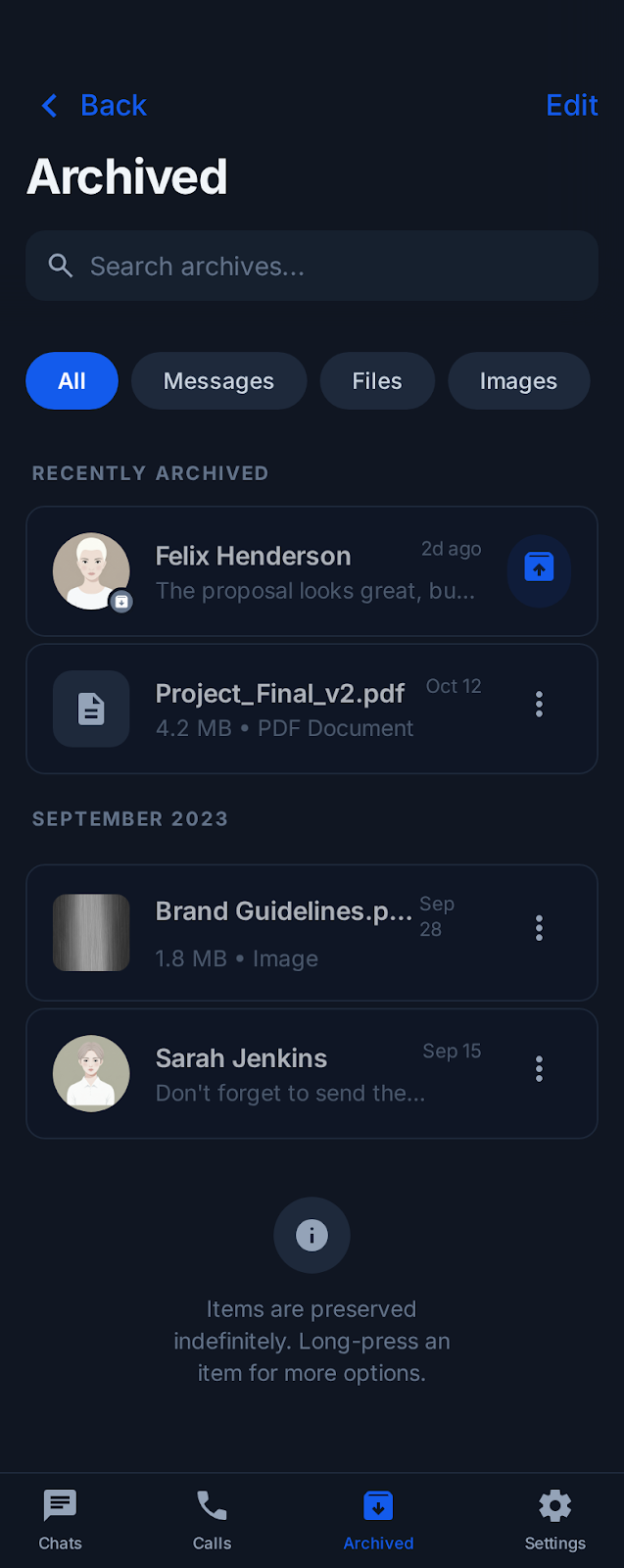
Design the archive flow for a content management app. Users should be able to archive one item or a batch from a list, confirm the action if needed, and get immediate feedback once the item moves out of the active view. Show how archived content is represented in the product. Include the archived state in list rows, item detail, and the archive destination itself so it is clear what was saved and where it went. The archived view should support scanning, searching, and restoring items without sending users back through the original flow. Treat undo as part of the interaction, not an afterthought. If the archive action is reversible, surface that right away in a toast, banner, or inline control. If confirmation is required for destructive variants, keep the message specific: name the item, explain what changes, and make restore or cancel easy to reach. Include at least one empty state for the archive area and one feedback state for a successful restore. The interface should make the archive system feel predictable: archive, find later, restore when needed.
What to deliver
- Design the archive action from item selection to confirmation.
- Show the archived state in lists and detail views.
- Design the archive drawer or archive section for finding saved items.
- Include an undo or restore action after archiving.
- Show an empty state for archived content.
Incorporate visual metaphors like a 'vault' or 'time capsule' in your design to intuitively communicate the concept of archiving and to add a creative twist to the user experience.