Gallery
See what others have created
hatefulskirmish
@hatefulskirmish
Reviewing & Rating
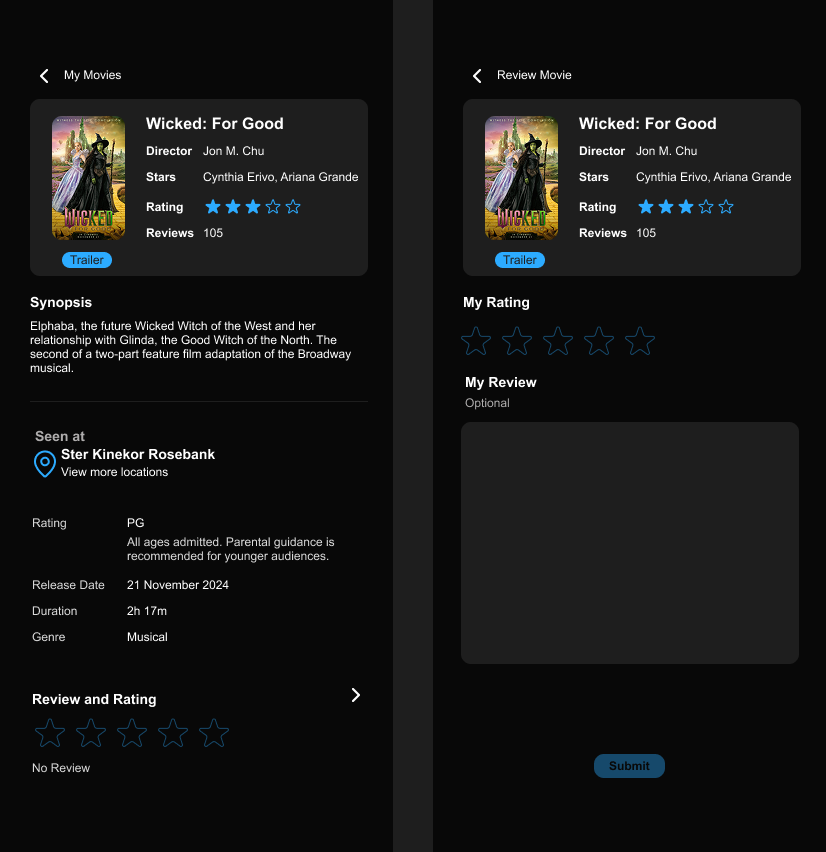
Design a review-and-rating flow for a product, service, or piece of content. The screen should make the target of the review obvious up front, then let the user choose a score and write feedback without losing context.
Include the core states a real flow needs: starting a review, handling an empty or partial submission, confirming a successful post, and showing what happens if the user has already reviewed the item. If editing is allowed, make that path explicit.
Use a rating control that is fast to understand at a glance, paired with a comment field that supports longer feedback. The primary action should read as the final step in the flow, not a generic button at the bottom of a form.
If you include review history, sorting, or filters, keep them separate from the write-review path so the input flow stays focused. The browsing view should help users scan sentiment, recency, and volume without making the page feel crowded.
What to deliver
- Design a review form with rating control, text input, and submit action.
- Show the item being reviewed with enough context to avoid confusion.
- Include an existing-review state for edit, replace, or duplicate prevention.
- Add validation and submission feedback for empty, partial, and posted reviews.
- Design a review list or summary view with sort/filter controls.
Incorporate a preview feature in your flow that allows users to see how their review will appear before they submit it, adding a layer of interactivity and user validation to the experience.